What is nocal?
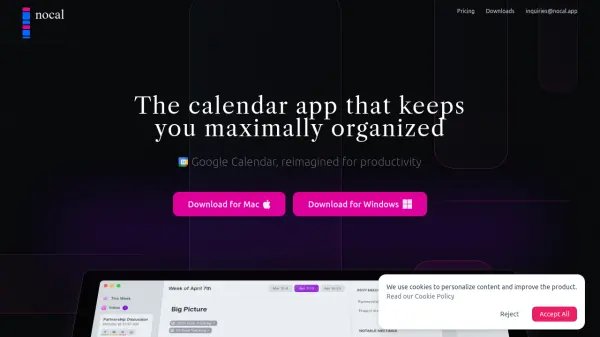
nocal is a productivity-focused calendar application that leverages artificial intelligence to transform the traditional scheduling experience. By integrating advanced features such as AI-powered note generation, NLP-based scheduling, and seamless connectivity between meetings and notes, it offers users a streamlined, clutter-free workflow. The application supports markdown for rich note-taking, allowing users to manage events, tasks, and project boards in a centralized command center.
With a design centered on clarity and focus, nocal intelligently surfaces important meetings and tasks while allowing less urgent items to fade into the background. Its offline capabilities and quick RSVP interface make it a versatile choice for busy professionals and students seeking efficient time management and enhanced organization across Mac and Windows platforms.
Features
- AI Note Generation: Automatically creates weekly and meeting notes tailored to user habits.
- NLP Scheduling: Schedule events using natural language inputs.
- Connected Notes & Events: Link meetings with relevant notes and vice versa for contextual management.
- Markdown Support: Take rich, embeddable notes with full markdown syntax.
- Centralized Command Center: Manage tasks, events, and notes all in one place.
- Quick RSVP: Respond to calendar invites efficiently as if managing an inbox.
- Offline Productivity: Functionality for note-taking and project management without internet.
- High Visibility Notifications: Never miss important events.
- Secondary Calendar Viewing: Access multiple calendars in a single app.
Use Cases
- Efficiently organizing meetings and tasks in a unified workspace
- Generating AI-powered weekly action plans and summary notes
- Scheduling events using simple natural language input
- Creating connected documentation for meetings and projects
- Maintaining productivity with offline note-taking and project boards
- Managing academic or work schedules for students and professionals
FAQs
-
What platforms is nocal available on?
nocal is available for both Mac and Windows operating systems. -
Does nocal support offline note-taking?
Yes, users can take notes and manage their projects within nocal even without an internet connection. -
Can I use natural language to schedule events in nocal?
Yes, nocal allows users to schedule meetings and events using natural language inputs. -
How does AI help in nocal?
AI in nocal surfaces notable meetings, generates personalized weekly notes, and adapts to users’ habits for enhanced focus and productivity.