Newton favicon

Newton
Build AI Assistants for Sales & Support

What is Newton?

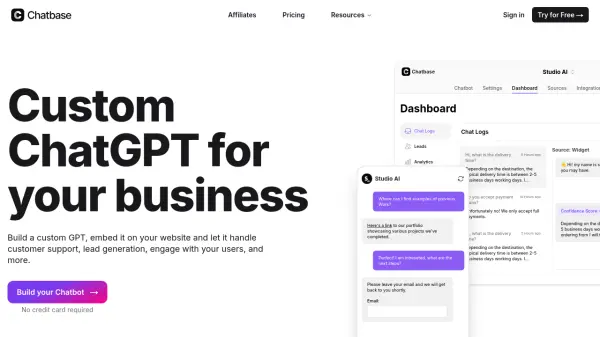
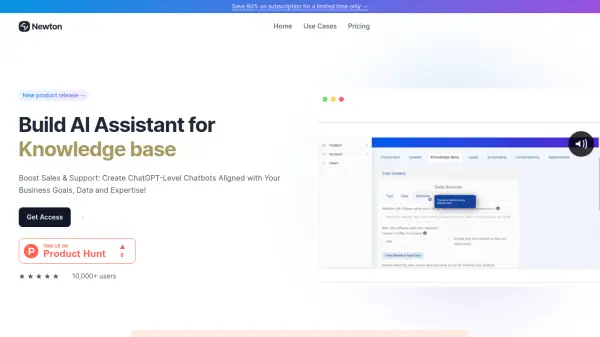
Newton is a platform that empowers users to build custom ChatGPT-level chatbots without any coding required. This no-code solution is designed for agency owners, businesses, and personal use, facilitating the creation of AI assistants tailored to specific needs and data. The platform supports integration with various business goals, streamlining operations and enhancing customer support.

It provides a user-friendly interface and robust data privacy, supporting multiple data types. Users can transform their business operations, create AI solutions, and elevate their learning experience by simply training their chatbot on their data.

Features

  • No-Code Chatbot Builder: Create custom ChatGPTs without writing any code.
  • Data Integration: Train chatbots on your specific business data.
  • Multiple Data Types: Supports various data types for comprehensive training.
  • Data Privacy: Ensures 100% data privacy protection.
  • Multi-User Access: Allows multiple users to access the platform based on the subscribed plan.

Use Cases

  • Boost customer support for businesses.
  • Streamline business operations.
  • Create personalized AI study companions.
  • Provide 24/7 research assistance.
  • Empower businesses with custom AI solutions.
  • Enable agencies to sell customized ChatGPTs.

Related Tools:

Blogs:

  • Best AI tools for recruiters

    Best AI tools for recruiters

    These tools use advanced algorithms and machine learning to automate tasks such as resume screening, candidate matching, and predictive analytics. By analyzing vast amounts of data quickly and efficiently, AI tools help recruiters make data-driven decisions, save time, and identify the best candidates for open positions.

  • Top 6 AI note-taking tools for 2026: in-person, online, and hybrid use cases

    Top 6 AI note-taking tools for 2026: in-person, online, and hybrid use cases

    Most AI note-taking lists are really lists of meeting bots, which join your video call and transcribe it. That's useful, but it's half the picture. Decisions happen in hallway conversations, client dinners, on-site visits, and hybrid rooms where nobody is on a video link. This guide covers different parts of the note-taking workflow: hardware capture for in-person settings, platform-native tools for online calls, and AI layers for organizing and synthesizing what you've captured. It compares six tools by capture context, workflow fit, pricing, and limitations.

Didn't find tool you were looking for?

Be as detailed as possible for better results