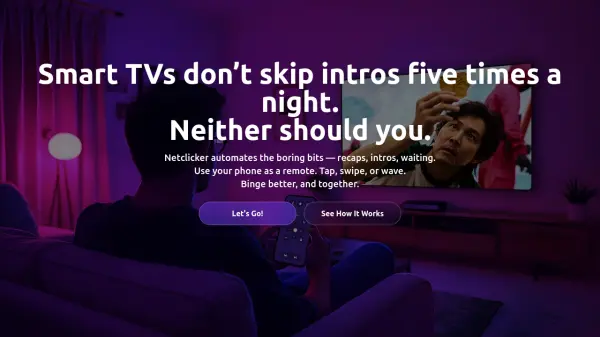


What is Netclicker?
Netclicker enables users to control their streaming experience across multiple platforms using their smartphone as a remote. The solution consists of a desktop application paired with a browser extension that work together to provide comprehensive control over streaming services. Users can automate repetitive tasks such as skipping intros, recaps, and time gaps while accessing features like a central watchlist, visual tuning adjustments, and IMDB ratings integration.
The platform supports streaming directly from popular services without routing through intermediary servers, ensuring users maintain full video quality and security. Additional functionality includes the Nook feature for synchronized group watching with chat capabilities, point-and-tap navigation similar to a magic wand, and platform-specific tools for enhanced browsing efficiency.
Features
- Auto-skip Functionality: Automatically skips recaps, intros, time gaps, and some advertisements
- Magic Wand Navigation: Point-and-tap interface for intuitive browsing without scrolling
- Central Watchlist: Unified tracking system for content across Netflix, YouTube, Prime Video, and Disney+
- Visual Tuning Controls: Adjust brightness, contrast, and color settings directly from smartphone
- Nook Group Watching: Synchronized viewing with chat features for up to 5 participants
Use Cases
- Automating repetitive streaming tasks like skipping intros and recaps
- Enhancing group watching experiences with synchronized playback and chat
- Controlling multiple streaming platforms from a single smartphone interface
- Improving accessibility with viewing distance adjustments for subtitles and navigation
- Browsing streaming catalogs efficiently without traditional remote scrolling
FAQs
-
What streaming platforms does Netclicker support?
Netclicker supports Netflix, Prime Video, Disney+, YouTube, Twitch, TikTok, Crunchyroll, Rakuten Viki, with more platforms continually being added. -
Does Netclicker route streams through its servers?
No, Netclicker never routes streams through its servers, allowing users to enjoy the full quality of their internet connection and subscriptions directly from streaming platforms. -
What devices are required to use Netclicker?
Users need to install the desktop application on Windows or Mac, add the browser extension to Chrome, Edge, Safari, or Firefox, and download the mobile app on iOS or Android devices. -
Can Netclicker be used for gaming?
Yes, the magic wand functionality can be used to play simple clicker games like Plants vs. Zombies and Banished, providing Wii remote-like control from a smartphone. -
What happens if my smart TV becomes outdated?
Netclicker provides an alternative control method that works independently of TV software updates, allowing continued streaming access even on older television models.