
What is Flickcall?
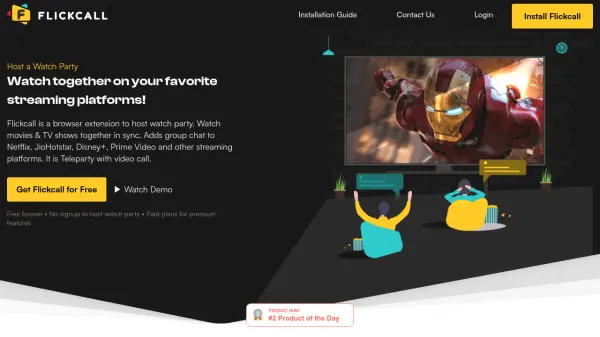
Flickcall is a browser extension designed to host synchronized watch parties across popular streaming platforms. It enables users to watch movies, TV shows, and live content together in real-time while maintaining perfect sync, even across multiple episodes. The extension integrates seamlessly with platforms like Netflix, Disney+, JioHotstar, HBO Max, Hulu, Prime Video, YouTube, and others, allowing users to start a watch party with just one click after installation.
The tool enhances the viewing experience by incorporating video chat functionality, allowing participants to see each other's reactions during playback. A Smart Mic feature automatically manages audio muting based on video playback state, facilitating natural conversation without manual controls. Flickcall prioritizes privacy by utilizing peer-to-peer technology for direct connections between users, with end-to-end encryption for video calls and chats. While the core watch party and group chat features are free, premium features like audio and video chat are available through paid plans.
Features
- Synchronized Playback: Maintains frame-perfect sync across all participants, even during binge-watching multiple episodes
- Integrated Video Chat: Enables real-time video communication to see reactions during watch parties
- One-Click Setup: Allows users to start watch parties in seconds after installing the extension
- Smart Mic Technology: Automatically mutes/unmutes audio based on video playback state for natural conversation
- Multi-Platform Support: Works with Netflix, Disney+, JioHotstar, HBO Max, Hulu, Prime Video, YouTube, and other streaming services
- Privacy-Focused Design: Uses peer-to-peer technology with end-to-end encryption for video calls and chats
Use Cases
- Hosting synchronized movie nights with friends and family across different locations
- Binge-watching TV series together while maintaining perfect episode synchronization
- Watching live sports events like IPL matches together with real-time reactions
- Creating virtual watch parties for long-distance relationships
- Organizing group viewing sessions for educational or entertainment content on YouTube
- Sharing viewing experiences with colleagues or classmates for collaborative activities
FAQs
-
Can Flickcall be used on mobile devices?
Mobile and tablet browsers generally do not support extensions, but Android users can try Kiwi browser which supports installing extensions from the Chrome Web Store. Flickcall doesn't officially support or endorse Kiwi browser. -
What happens if peer-to-peer connection is blocked?
In cases where firewall settings block direct peer-to-peer connections, calls and messages are encrypted and transmitted via routing servers to maintain functionality. -
How does Flickcall compare to screen sharing services like Zoom?
Unlike Zoom which streams the host's screen (potentially degrading quality), Flickcall syncs playback directly on the original streaming platform, maintaining HD/4K quality without compression loss. -
Can users switch videos during a YouTube watch party?
Yes, participants can switch to different videos during a YouTube watch party, and the new video will start playing for everyone, functioning like a remote DJ system. -
Is the Smart Mic feature available for live matches?
Smart Mic is disabled for live matches since pausing live content doesn't make practical sense, though watch parties for live matches are fully supported.