What is Neon Pizza?
Neon Pizza offers a variety of online party games designed for video conference platforms like Zoom, Google Meet, and Microsoft Teams, as well as for in-person gatherings using mobile devices. With no sign-in needed, you can start playing in seconds. Games include daily music challenges and customizable game sessions. The platform also provides event hosting services and a supportive community on Discord.
Features
- No Sign-In Required: Start playing immediately without creating an account.
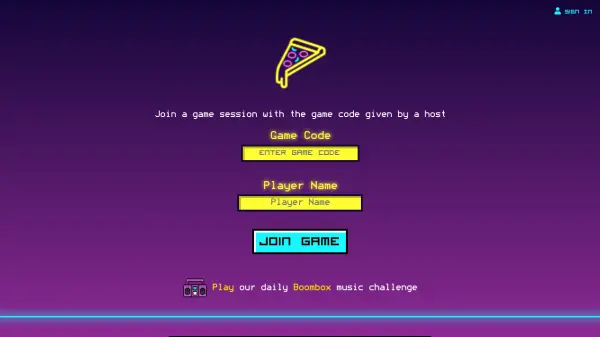
- Game Codes: Join a specific game session using a unique game code provided by the host.
- Daily Boombox Challenge: A daily music-based game challenge for players.
- Customizable Games: Pick from a library of games to start your own session.
- Event Hosting Services: Professional hosting available for in-person and video conference events.
Use Cases
- Virtual team building activities over Zoom or Teams
- Online party games with friends and family
- Icebreaker games for remote meetings
- In-person party games using mobile devices
- Daily music challenge for casual entertainment
FAQs
-
Do I need to create an account to play?
No, there is no sign-in required. You can start playing immediately by joining a game with a code or starting your own game. -
Can I play these games on any video conferencing platform?
Yes, Neon Pizza games are designed to work over video conference platforms like Zoom, Google Meet, and Microsoft Teams, as well as in person using mobile devices. -
What is the Boombox challenge?
The Boombox challenge is a daily music-based game where players can compete by identifying songs or answering music-related questions. -
How do I host a game session?
You can start a game by picking from the library of games in the 'Start a Game' section. Then share the game code with players to join.