What is Myvoicemod?
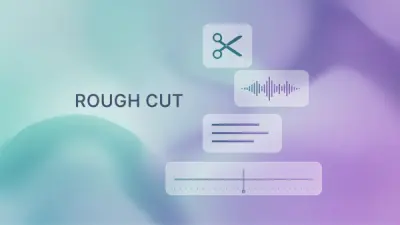
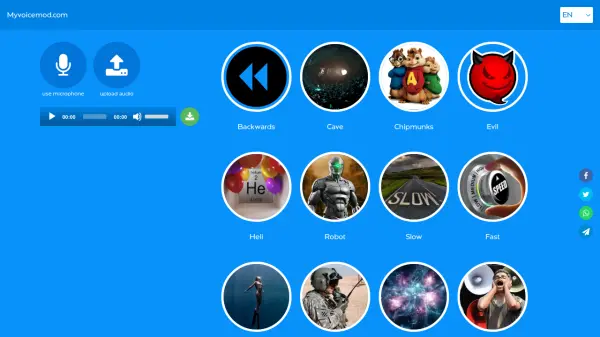
Myvoicemod offers an online platform for voice generation and modification. Users can instantly alter their voice for various purposes, such as creating surprises, making jokes, or simply exploring different sound effects. The tool provides flexibility by allowing voice transformation either through direct recording using a microphone or by uploading a pre-existing audio file.
A range of voice effects are available to choose from, including options like Cave, Chipmunks, Evil, Heli, Robot, Slow, Fast, Underwater, Radio, Space, and Megaphone. Users can experiment by applying multiple effects to find the most suitable sound. Once satisfied with the result, the modified audio can be downloaded directly to a computer or tablet. The service emphasizes ease of use with a user-friendly interface, making voice changing accessible without complex preparations.
Features
- Real-time Voice Recording: Record audio directly using a microphone.
- Audio File Upload: Upload existing audio files for modification.
- Multiple Voice Effects: Apply various effects like Cave, Chipmunks, Evil, Heli, Robot, Slow, Fast, Underwater, Radio, Space, and Megaphone.
- Instant Voice Morphing: Apply effects immediately during recording or after upload.
- Download Modified Audio: Save the changed voice recording to your device.
- Free to Use: Offers voice changing services at no cost.
Use Cases
- Creating funny voice messages for friends.
- Making prank calls or recordings.
- Adding unique voice effects to audio projects.
- Disguising voice for online interactions (e.g., Discord).
- Generating humorous birthday greetings.
- Experimenting with different voice sounds for fun.
FAQs
-
How can I change my voice using this tool?
You can either press the microphone button to record your voice directly and apply effects, or upload a pre-recorded audio file and then apply the desired voice effect. -
Can I apply effects while I am recording?
Yes, voice morphing is possible at once, and changes can be applied during the time of speaking. -
What voice effects are available?
The tool offers effects such as Backwards, Cave, Chipmunks, Evil, Heli, Robot, Slow, Fast, Under water, Radio, Space, and Megaphone. -
Can I download the modified voice recording?
Yes, after applying effects, you can download the best variant to your computer or tablet.