What is moyoNote?
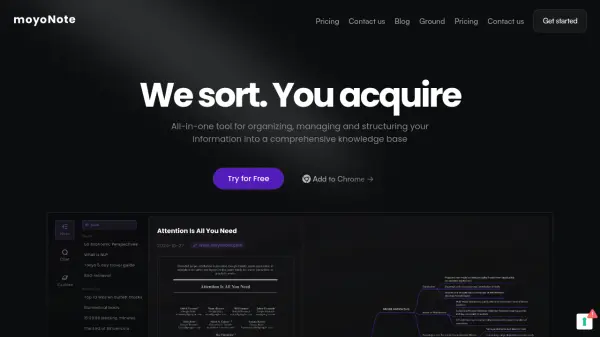
moyoNote is an all-in-one tool designed to help users organize, manage, and structure information into a comprehensive knowledge base. Powered by AI, it transforms various file types, including .pdf, .docx, and mp3, into professional mind maps.
The platform offers features beyond simple mind map generation. Users can interact with the generated maps through a Q&A feature, and it provides deep customization options including structure editing and color personalization.
Features
- File Support: Supports .pdf, .docx, mp3, and other file types.
- Mind Map Generation: Creates professional mind maps from uploaded files or text.
- Interactive Q&A: Allows users to engage with the generated mind maps through questions and answers.
- Customization: Enables users to edit the structure and personalize the colors of their mind maps.
- Secure Sharing: Facilitates sharing via links or QR codes, with optional password protection.
Use Cases
- Organizing research materials for academic papers and theses.
- Creating visual diagrams for lesson planning and essay writing.
- Improving work efficiency by organizing complex content.
- Facilitating team collaboration by sharing mind maps.
- Quickly accessing key knowledge points within large documents.
FAQs
-
What sets MoyoNote apart from other mind mapping tools?
MoyoNote's AI swiftly crafts mind maps from text or files. It stands out with interactive Q&A for the generated maps, enhancing user engagement. -
Are the basic features of MoyoNote free? Are there premium features available for a fee?
MoyoNote offers free basic features, but for those looking for more space and advanced capabilities, a Pro upgrade is available. With the Pro version, you can unlock more advanced features. -
How can I deeply customize the AI mind map to fit my style or needs?
MoyoNote grants comprehensive control over mind maps, allowing free structure edits and color personalization, ensuring personalized expression that matches your style and professional needs. -
How can I safely share mind maps with others while controlling access permissions?
Easily share mind maps via links or social QR codes with MoyuNote, and secure them with password protection for access control.