
What is MapsOfMind?
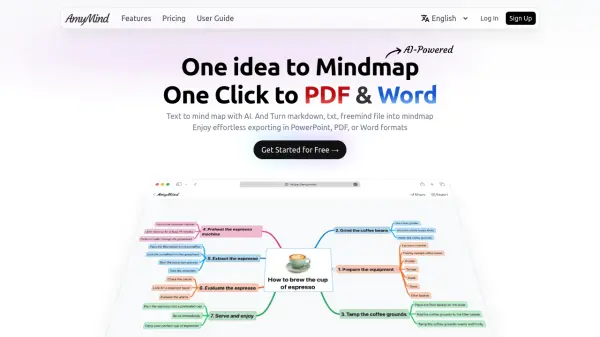
MapsOfMind is a feature-rich mind mapping tool designed to help users declutter their thoughts and organize information with ease. It provides a simple and intuitive interface, enabling effortless creation and customization of complex mind maps. Users can visualize their ideas with customizable InfoBoxes, adjust colors, and design connectors for a tailored mapping experience.
The platform supports exporting maps in various formats such as PDF, PNG, and TXT, with additional formats planned. Sharing and collaboration are enhanced with features allowing real-time teamwork and the ability to fork and edit shared maps. MapsOfMind is suitable for a broad range of fields, offering limitless customization and easy integration of external content through website links.
Features
- Customizable InfoBoxes: Create and personalize boxes with rich text, website summaries, to-do lists, and comments.
- Export Options: Export mind maps to PDF, PNG, and TXT formats.
- Collaboration and Sharing: Real-time collaboration and map sharing with forking capabilities.
- Custom Backgrounds: Use various colors and patterns for the map backgrounds.
- Auto-Organize: Choose from seven auto arrangement configurations for effortless map structuring.
- Web Content Integration: Add URLs and text content directly from any website to your mind maps.
- Group Management: Create private groups and manage users and maps.
- Document Integration: Add PDFs and images directly into your mind maps.
- Import Functionality: Import and convert maps from FreeMind and text files.
Use Cases
- Organizing brainstorming sessions visually for teams and individuals.
- Taking structured lecture or meeting notes in an interactive mind map.
- Preparing research outlines or project plans using customizable nodes.
- Sharing and collaborating on concept maps with colleagues remotely.
- Creating study aids for students by visualizing complex information.
- Tracking project tasks and workflows with customizable InfoBoxes.
- Building resource repositories with links, documents, and images.
FAQs
-
What export formats are supported?
MapsOfMind allows users to export their mind maps to PDF, PNG, and TXT formats, with more options planned for future updates. -
Can I collaborate with others in real time?
Yes, with a Supporter/Pro subscription, users can collaborate, edit, and share mind maps in real time. -
Is it possible to import maps from other tools?
MapsOfMind supports importing and converting from FreeMind and text files into its platform. -
Does MapsOfMind offer private group management?
Supporter/Pro users can create private groups, add users, and assign maps for improved group collaboration.