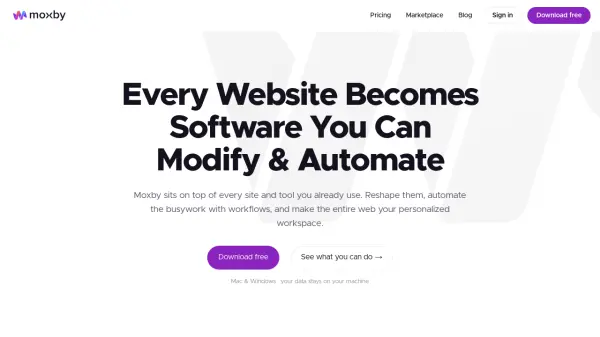
What is Moxby?
Moxby transforms your web browser into a personalized workspace by injecting custom panels, buttons, and actions directly onto any live website. It adapts to the tools you already use, pulling data from multiple sources into a single view and discovering internal API endpoints for replayable automation. The agent can run missions autonomously: you give it a goal, it plans the steps, learns each site, and executes the busywork on a schedule or on demand, with self-healing skills that survive site changes mid-run.
Built on a complete IDE with deep codebase comprehension, Moxby integrates with Claude Code or Codex subscriptions to supercharge coding workflows. It includes a Chromium-based browser, a code editor with line-level history, a live code graph, AST-aware RAG indexing, and local-only data storage. Security features like secret tokenization, untrusted-content tagging, and egress filtering keep your credentials safe. Moxby is free for the full agent with limited AI messages; Pro ($25/mo) removes limits, and Team ($40/mo) adds shared workspaces.
Features
- Site Adaptability: Inject buttons, overlays, panels & actions onto any live website; pull data from multiple sites into a unified view; discover internal API endpoints and wire them into replayable skills.
- Autonomous Missions: Tell Moxby a desired outcome, it plans steps, learns each site, and runs the busywork on a schedule or on demand with self-healing skills.
- AI Agent & IDE Integration: Plugs into Claude Code, Codex, or ChatGPT subscriptions to boost coding; includes a code editor with line-level history, live code graph, AST-aware RAG indexing, and token proxy that cuts token spend by 50-90%.
- Full Chromium Browser: Use Moxby as a daily-driver browser with human-in-the-loop control, customizable split-panel views, and one-click setup for GitHub repos and agents.
- Local-First Security: All data stays on the user's computer; secret tokenization prevents the agent from seeing real passwords; untrusted-content tagging neutralizes prompt injection; egress filter blocks credential leakage.
- Multi-Layer Workspace: Create boards, projects, adapters, automations, missions, and custom dashboards; work across sales, SEO, ads, support, dev, research, and more.
Use Cases
- Sales prospecting: Find, enrich, and reach buyers across CRM and outreach tools.
- SEO & content: Research, write, and optimize across your CMS and SEO stack.
- Ads & media buying: Run campaigns across Google, Meta, and LinkedIn from one view.
- Customer support: Triage and resolve tickets across your help desk.
- Dev & engineering: Generate, review, and ship across repos and CI.
- Website development: Build, edit, and QA sites across CMS and host.
- Research & analysis: Track trends and build reports from many sources.
- Competitive analysis: Track prices, features, and reviews automatically.
- Data & operations: Validate, migrate, and sync data across tools.
- Social media: Create, schedule, and analyze across every platform.
- Accounting: Reconcile, invoice, and report across books.
- HR & onboarding: Screen, onboard, and train across HR tools.
- Inventory & supply chain: Track stock, orders, and vendors end-to-end.
- Middle management: Roll up status, metrics, and updates from every tool.
- Paralegals & compliance: Review, track, and file across legal stack.
FAQs
-
Is Moxby really free?
Yes, Free includes the full agent with every feature, not a trial. The only limit is AI messages: you start with 20 and earn 20 more for each friend you refer. -
Do I need my own AI subscription?
Moxby works with the AI you already use—your ChatGPT or Claude subscription, or any API key. We don't charge you for AI usage; you bring your own. -
What's the difference between Pro and Team?
Pro removes message limits and unlocks unlimited everything plus Upskill and marketplace publishing. Team adds shared tasks, docs, agents, and projects, syncing across people, and centralized billing & seat management. -
Where does my data live?
On your computer. Moxby runs locally—your data, credentials, and browsing stay on your machine. The optional cloud relay for cross-machine access is opt-in. -
Can I cancel anytime?
Yes. Cancel whenever you like and keep access through the end of your billing period, then drop back to Free.