Mouse Recorder
Record mouse actions for infinite replay

What is Mouse Recorder?

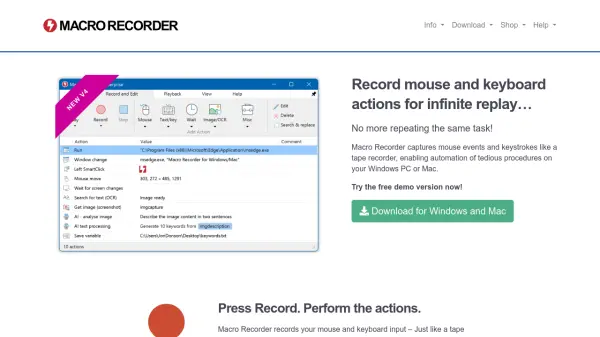
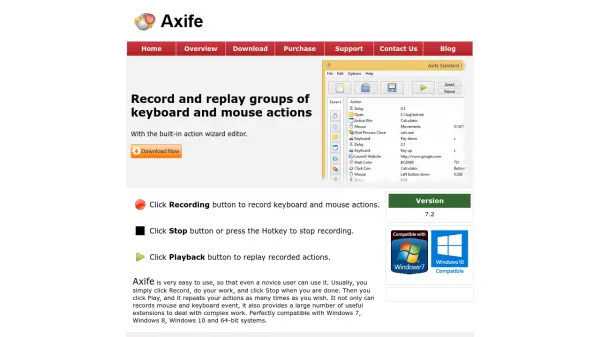
Mouse Recorder captures precise mouse movements and clicks during recording sessions, enabling users to automate repetitive actions seamlessly. The tool includes a built-in macro editor for reviewing and modifying recorded actions, ensuring accuracy and customization.

Users can replay macros at adjustable speeds and smooth out edgy mouse movements on demand, enhancing productivity by eliminating the need to perform the same tasks multiple times. This automation solution is designed to save time and reduce manual effort in various computing environments.

Features

  • Macro Recording: Accurately records mouse movements and clicks
  • Built-in Editor: Allows review and editing of recorded actions
  • Playback Control: Adjust playback speed and smooth mouse movements on demand

Use Cases

  • Automating repetitive mouse-based tasks in software applications
  • Streamlining data entry processes by recording and replaying actions
  • Enhancing productivity in gaming or testing scenarios with automated clicks

Related Tools:

Blogs:

  • AI Testimonial Videos: How to Build Social Proof That Actually Converts

    AI Testimonial Videos: How to Build Social Proof That Actually Converts

    AI testimonial videos are transforming marketing in 2026 by helping businesses create professional customer-style videos quickly and affordably. Using real customer reviews, short scripts, and AI tools like Pollo AI, brands can produce engaging testimonials for social media, landing pages, and ads while saving time and improving conversions.

  • Top 6 AI note-taking tools for 2026: in-person, online, and hybrid use cases

    Top 6 AI note-taking tools for 2026: in-person, online, and hybrid use cases

    Most AI note-taking lists are really lists of meeting bots, which join your video call and transcribe it. That's useful, but it's half the picture. Decisions happen in hallway conversations, client dinners, on-site visits, and hybrid rooms where nobody is on a video link. This guide covers different parts of the note-taking workflow: hardware capture for in-person settings, platform-native tools for online calls, and AI layers for organizing and synthesizing what you've captured. It compares six tools by capture context, workflow fit, pricing, and limitations.

Didn't find tool you were looking for?

Be as detailed as possible for better results