Motionscribe favicon

Motionscribe
Make Great Looking Promo Videos in Minutes

What is Motionscribe?

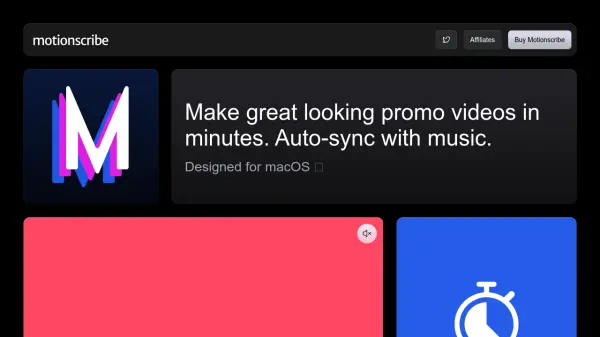
Motionscribe is a video creation tool designed exclusively for macOS. It simplifies the process of making promotional videos by automatically synchronizing text, videos, and images with music. This application features real-time beat detection, enabling transitions that align perfectly with the chosen soundtrack. Users can create videos in various aspect ratios (wide, tall, or square), and a single purchase provides lifetime access with all features included, unlimited projects, and unlimited exports.

Motionscribe includes one year of updates, ensuring users have the most current features. A 14-day money-back guarantee is offered, reflecting confidence in the product's value.

Features

  • Real-time beat detection: Transitions content in sync with any song.
  • Multiple Content Formats: Add text, videos, and images.
  • Versatile Aspect Ratios: Create wide, tall, or square videos.
  • One-Time Purchase: Pay once, use forever, with no subscription needed.
  • Unlimited Projects and Exports: Create and export as much as you need.
  • One Year of Updates: Includes one year of updates

Use Cases

  • Creating promotional videos for social media.
  • Producing marketing content for businesses.
  • Developing engaging video ads.
  • Making short, dynamic videos for presentations.

Related Tools:

Blogs:

  • Best AI Tools For Startups

    Best AI Tools For Startups

    we've compiled a straightforward list of user-friendly AI tools designed to give startups a boost. Discover practical solutions to streamline everyday tasks, enhance productivity, and gain valuable insights without the need for a tech expert. Learn where and how these tools can be applied in your startup journey, from automating repetitive tasks to unlocking powerful data analysis. Join us as we explore the features that make these AI tools accessible and beneficial for startups in various industries. Elevate your business with technology that works for you!

  • Top 6 AI note-taking tools for 2026: in-person, online, and hybrid use cases

    Top 6 AI note-taking tools for 2026: in-person, online, and hybrid use cases

    Most AI note-taking lists are really lists of meeting bots, which join your video call and transcribe it. That's useful, but it's half the picture. Decisions happen in hallway conversations, client dinners, on-site visits, and hybrid rooms where nobody is on a video link. This guide covers different parts of the note-taking workflow: hardware capture for in-person settings, platform-native tools for online calls, and AI layers for organizing and synthesizing what you've captured. It compares six tools by capture context, workflow fit, pricing, and limitations.

  • Best AI tools for Product Photography

    Best AI tools for Product Photography

    Explore top AI tools that can elevate your product photography, helping you enhance images, streamline workflows, and create professional visuals with ease.

Didn't find tool you were looking for?

Be as detailed as possible for better results