What is Midscene.js?
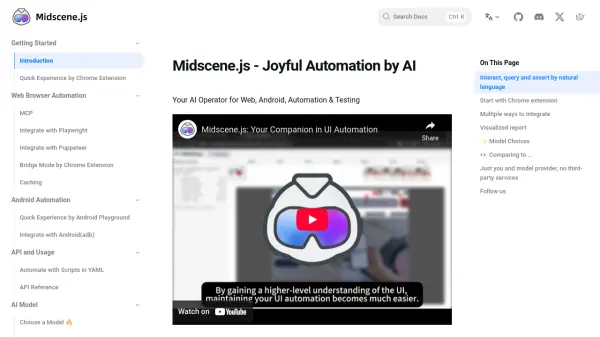
Midscene.js functions as an AI operator dedicated to streamlining web and Android automation and testing processes. It allows users to control applications and perform tests using natural language prompts for actions, data queries, and assertions. This approach significantly reduces the complexity and maintenance overhead associated with traditional automation scripts.
The tool integrates seamlessly with popular frameworks like Playwright and Puppeteer, offers a bridge mode via a Chrome Extension, and supports script automation through YAML files. It emphasizes a strong debugging experience with visualized reports that include animated replays and an interactive playground for prompt adjustments. Users have the flexibility to choose various AI models, including multimodal LLMs and specialized UI automation models, ensuring adaptability to different needs.
Features
- Natural Language Interaction: Execute actions, query data, and perform assertions on UI using natural language prompts (.ai, .aiAction, .aiQuery, .aiAssert).
- Multi-Platform Automation: Automate tasks on both web browsers and Android applications.
- Flexible Integration: Integrate with Playwright, Puppeteer, control desktop Chrome via Bridge Mode, or use YAML scripts.
- Visualized Reporting: Generate reports with animated replays and step details for easier debugging.
- Debugging Playground: Adjust prompts within the report file without re-running entire scripts.
- Model Flexibility: Supports various AI models including gpt-4o, Qwen2.5-VL, gemini-2.5-pro, and the open-source UI-TARS.
- Chrome Extension: Provides a browser extension for quick feature experience without coding.
- Open Source: Freely available as an open-source project.
Use Cases
- Automating web application testing using natural language commands.
- Simplifying Android app testing and automation scripts.
- Extracting structured data from web pages based on natural language descriptions.
- Performing UI assertions described in plain English.
- Reducing maintenance effort for brittle UI automation scripts.
- Debugging automation flows with visual replays and interactive prompts.
FAQs
-
What is special about Midscene.js compared to other UI automation tools?
Midscene.js emphasizes the debugging experience with visualized reports and a playground, is open-source, free, integrates with Javascript, and ensures data privacy by connecting directly to model providers without third-party intermediaries. -
How does Midscene.js handle data privacy?
All data gathered from pages is sent directly to the configured AI model provider (e.g., OpenAI or a custom provider). No third-party platform accesses the data. -
What AI models can I use with Midscene.js?
You can use multimodal LLMs like gpt-4o, visual-language models like Qwen2.5-VL, gemini-2.5-pro, and the open-source UI-TARS model specialized for UI automation. -
Is Midscene.js free to use?
Yes, Midscene.js is an open-source project and is free to use. -
Can I use Midscene.js without writing code?
Yes, you can use the Midscene Chrome extension to experience its main features on any webpage without writing code.