


What is Measure Tools - AR Ruler?
Measure Tools - AR Ruler utilizes augmented reality technology to convert smartphones into versatile measurement devices. The app allows users to measure distances, heights, and dimensions in real-world environments using their phone's camera, eliminating the need for traditional tape measures. It provides various measurement modes including vertical, horizontal, and 3D box previews for comprehensive spatial analysis.
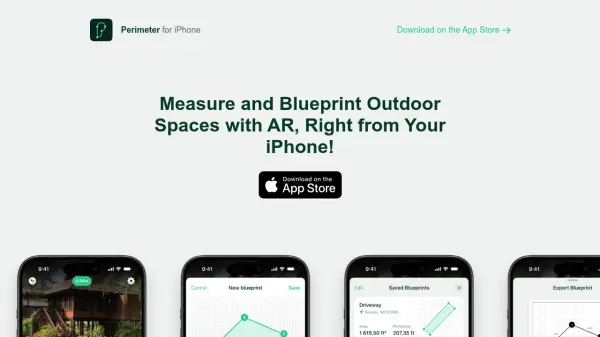
The application supports professionals across multiple industries by offering features like floor plan creation, angle measurement, and chain measurements for complex areas. Users can save measurements with overlayed images and notes for documentation purposes, making it particularly valuable for construction, interior design, real estate, and renovation projects where accurate spatial data is essential.
Features
- AR Measurement: Uses augmented reality technology to measure distances and dimensions through smartphone camera
- Multiple Measurement Modes: Includes vertical, horizontal, 3D box preview, and floor plan measurement options
- Documentation Tools: Save measurements with overlayed images and notes for record-keeping
- Professional Applications: Designed for construction, interior design, real estate, and renovation projects
- Cross-Platform Availability: Available for both Android and iOS mobile devices
Use Cases
- Measuring room dimensions for renovation planning
- Checking furniture fit before purchase or moving
- Creating floor plans for interior design projects
- Estimating material requirements for construction projects
- Documenting property measurements for real estate listings
- Planning outdoor spaces and landscape designs
- Measuring retail or event spaces for layout planning
- Quick dimension checks for DIY home projects
FAQs
-
What types of measurements can be taken with Measure Tools - AR Ruler?
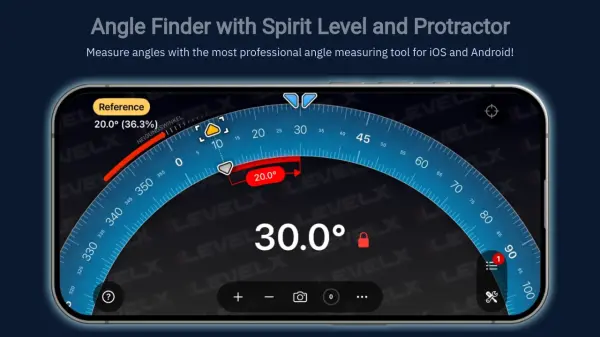
The app supports vertical and horizontal distance measurements, 3D box previews for spatial visualization, angle measurements between segments, chain measurements for complex areas, and floor plan creation with door and window placement. -
What are the key tips for getting accurate measurements with the app?
Ensure good lighting conditions, move the phone slowly during scanning, maintain an ideal starting distance of 30cm-1m from the measurement target, double-check measurements by moving to verify alignment, and look for distinct patterns on surfaces for better tracking. -
Which professions benefit most from using this measurement tool?
Contractors, builders, renovation experts, interior designers, real estate agents, property inspectors, event planners, landscape designers, and DIY homeowners find the app particularly useful for their measurement needs.