
What is Maplytics?
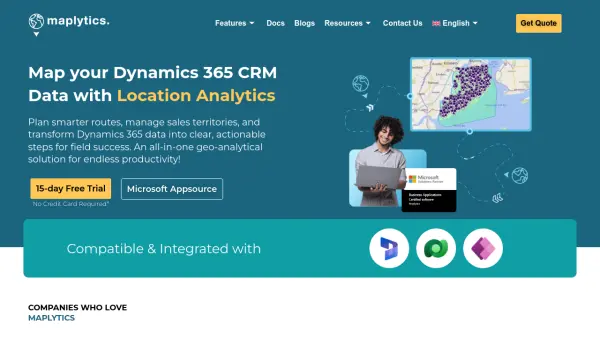
Maplytics is a comprehensive location analytics platform designed specifically for Microsoft Dynamics 365 CRM users. This AI-powered solution transforms CRM data into visual maps, enabling businesses to make smarter, location-based decisions. The platform features MapCopilot, an AI assistant that allows users to search and analyze data using natural language prompts, making complex geo-analytical tasks accessible to all users.
With seamless integration into Dynamics 365, Maplytics provides route optimization, territory management, real-time tracking, and data visualization capabilities. The tool helps field teams save time and fuel through optimized routing while enabling sales managers to create and align territories for maximum coverage. Advanced features include heat map visualization, multi-language support, and integration with Azure Maps and Power Pages for extended functionality.
Features
- MapCopilot AI Assistant: Natural language search and analysis of Dynamics 365 CRM data
- Route Optimization: Calculate fastest or shortest travel routes for field teams with real-time traffic
- Territory Management: Create, align, and optimize sales territories for maximum coverage
- Real-Time Tracking: Monitor live field locations and track travel history
- Data Visualization: Plot Dynamics 365 data onto interactive maps with heat map capabilities
- Radius Search: Find customers, leads, or locations within specified distances or travel times
- Auto-Scheduling: Automatically schedule multi-day plans or multiple users based on skills
Use Cases
- Sales territory optimization and management
- Field service route planning and optimization
- Customer proximity analysis for targeted marketing
- Real-time tracking of field teams and assets
- Location-based data visualization for business intelligence
- Multi-stop trip planning with traffic-aware routing
- Geo-filtered contact list creation for marketing campaigns
FAQs
-
What is MapCopilot and how does it work?
MapCopilot is an AI-powered assistant within Maplytics that allows users to search, analyze, and visualize Dynamics 365 CRM data using natural language prompts. Users can type commands like 'accounts within 10 miles of Chicago' or 'find cafes near me' to instantly plot records, run proximity searches, or optimize routes on interactive maps. -
Does Maplytics offer a free trial?
Yes, Maplytics offers a 15-day free trial with no credit card required, allowing users to test the platform's features before committing to a subscription. -
What CRM systems does Maplytics integrate with?
Maplytics is specifically designed to integrate with Microsoft Dynamics 365 CRM, providing seamless mapping and location analytics capabilities within the Dynamics ecosystem. -
Can Maplytics handle multiple languages?
Yes, Maplytics supports multiple languages including English, German, Spanish, Italian, and French, with multi-language auto-suggestions for enhanced usability across global teams. -
What mapping services does Maplytics integrate with?
Maplytics integrates with Azure Maps for advanced geo-analytical features and supports navigation through Google Maps, Apple Maps, and Waze App for turn-by-turn directions and real-time traffic updates.