What is Maplorer?
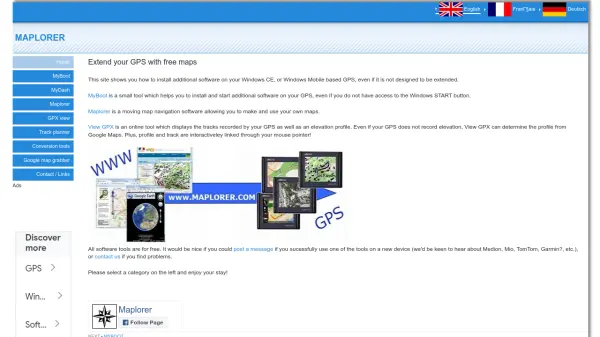
Maplorer is a platform offering free software tools designed to extend the functionality of GPS devices, particularly those running Windows CE or Windows Mobile. It enables users to install additional software on their GPS units, even if the devices are not originally designed for such extensions. The core tools include MyBoot, which facilitates software installation and startup without access to the Windows START button, and Maplorer itself, a moving map navigation software that allows users to create and utilize custom maps.
Additionally, the platform features GPX view, an online tool that displays GPS-recorded tracks along with interactive elevation profiles. This tool can determine elevation data from Google Maps even if the GPS does not record it, with interactive linking between the profile and track via mouse pointer. All tools are provided free of charge, and the site encourages user feedback on device compatibility and issue reporting.
Features
- MyBoot: Helps install and start additional software on GPS devices without access to the Windows START button
- Maplorer: Moving map navigation software for creating and using custom maps
- GPX view: Online tool displaying GPS-recorded tracks with interactive elevation profiles, using Google Maps for elevation data if needed
- Conversion tools: Utilities for converting GPS-related data formats
- Google map grabber: Tool for extracting map data from Google Maps
Use Cases
- Enhancing GPS devices with custom navigation software
- Creating and using personalized maps for outdoor activities
- Visualizing and analyzing GPS tracks with elevation profiles
- Installing additional applications on restricted GPS systems
- Converting GPS data formats for compatibility with other tools