MailReact favicon

MailReact
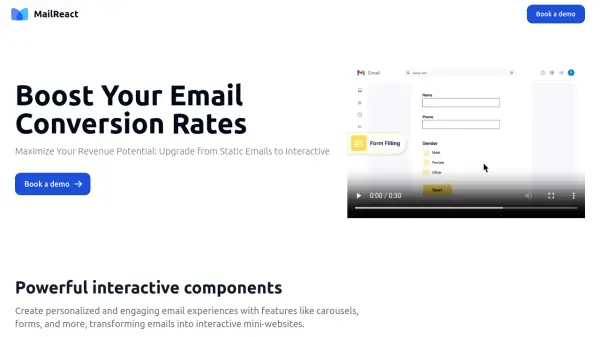
Boost Your Email Conversion Rates

What is MailReact?

MailReact empowers businesses to create personalized and engaging email experiences. By incorporating powerful interactive components such as carousels, forms, and more, MailReact transforms traditional emails into interactive mini-websites.

This innovative approach allows for real-time updates, ensuring users always have the most up-to-date information. MailReact provides a seamless user experience because it allows users to interact with the content without leaving their inbox, and promises to increase engagement, improve click-through, and improve conversion rates.

Features

  • Form Filling: Boost form filing with interactive component
  • Shop in Email: Boost revenue from your abandoned carts
  • Customer Surveys: Get 257% higher survey response
  • Quizzes & Polls: Boost quiz responses with interactive, smart quizzes
  • Demo Booking: Get 20% higher demo signups
  • Engaging Newsletter: Boost revenue from your email news letters

Use Cases

  • Reduce cart abandonment in E-commerce
  • Build a loyal subscriber base for subscription services
  • Build trust with a secure platform in financial services
  • Keep players engaged and extend game time in gaming

Related Tools:

Blogs:

  • Best Content Automation AI tools

    Best Content Automation AI tools

    Streamline your content creation process, enhance productivity, and elevate the quality of your output effortlessly. Harness the power of cutting-edge automation technology for unparalleled results

  • Best AI tools for Room Design

    Best AI tools for Room Design

    Discover cutting-edge AI tools that redefine the art of room design. From layout optimization to aesthetic finesse, these top-tier tools enhance your space to new heights.

  • Top 6 AI note-taking tools for 2026: in-person, online, and hybrid use cases

    Top 6 AI note-taking tools for 2026: in-person, online, and hybrid use cases

    Most AI note-taking lists are really lists of meeting bots, which join your video call and transcribe it. That's useful, but it's half the picture. Decisions happen in hallway conversations, client dinners, on-site visits, and hybrid rooms where nobody is on a video link. This guide covers different parts of the note-taking workflow: hardware capture for in-person settings, platform-native tools for online calls, and AI layers for organizing and synthesizing what you've captured. It compares six tools by capture context, workflow fit, pricing, and limitations.

Didn't find tool you were looking for?

Be as detailed as possible for better results