What is MailMate?
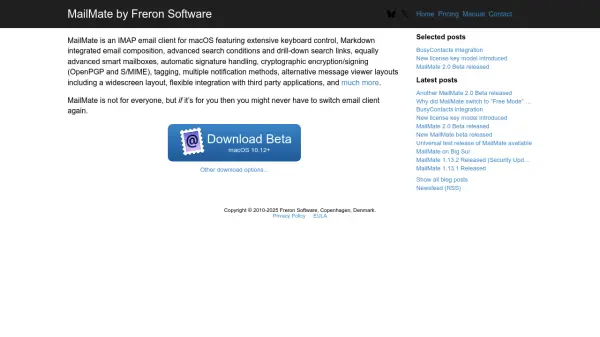
MailMate provides macOS users with a highly customizable IMAP email client tailored for productivity and efficiency. Designed for those who manage substantial correspondence, it offers advanced search functions, intelligent smart mailboxes, keyboard-driven navigation, and seamless Markdown-based composition. Its message viewer layouts and smart tag management help streamline even the busiest inboxes.
Email security is enhanced through support for OpenPGP and S/MIME cryptographic encryption/signing, while notification options and alternative viewing layouts boost user flexibility. With built-in integration for third-party applications and automation support, MailMate stands as a robust solution for professionals who require a premium, customizable email experience on macOS.
Features
- Keyboard Control: Extensive support for navigating and managing emails via keyboard shortcuts
- Markdown Integration: Compose emails directly with Markdown formatting support
- Advanced Search: Robust filtering, drill-down searches, and complex search conditions
- Smart Mailboxes: Customizable, advanced mailbox management with dynamic rules
- Encryption & Signing: Built-in OpenPGP and S/MIME support for secure email communication
- Signature Handling: Automatic signature management for different email accounts
- Tagging: Flexible message tagging for organizing and prioritizing correspondence
- Third-Party Integration: Flexible API for integrating with external applications and workflows
- Multiple Notification Methods: Choose from various options for receiving email notifications
- Alternative Viewer Layouts: Includes widescreen and other advanced email viewing options
Use Cases
- Managing large volumes of professional or personal email with advanced organization tools
- Composing and formatting emails efficiently using Markdown syntax
- Enabling secure encrypted communication and digital signatures for sensitive email exchanges
- Automating email workflows and integrating with productivity tools on macOS
- Streamlining inbox management for power users requiring smart mailbox features
FAQs
-
What operating systems does MailMate support?
MailMate is exclusively available for macOS, requiring version 10.12 or later. -
Is there a free trial available for MailMate?
Yes, MailMate can be used in Trial Mode with all features enabled for at least 14 days of active use. -
What happens when my MailMate subscription expires?
If your subscription ends, MailMate automatically switches to Free Mode, allowing continued access with minimal limitations. -
Does MailMate support encrypted email communication?
Yes, MailMate supports cryptographic encryption and signing using OpenPGP and S/MIME standards.