MailClark favicon

MailClark
The Postman of Slack and MS Teams

What is MailClark?

MailClark was a communication management tool designed to streamline team interactions within Slack and Microsoft Teams. It operated from 2016 to 2022, providing a unified platform for handling both external and internal communications. The tool aimed to enhance productivity by centralizing conversations and reducing the need to switch between multiple applications.

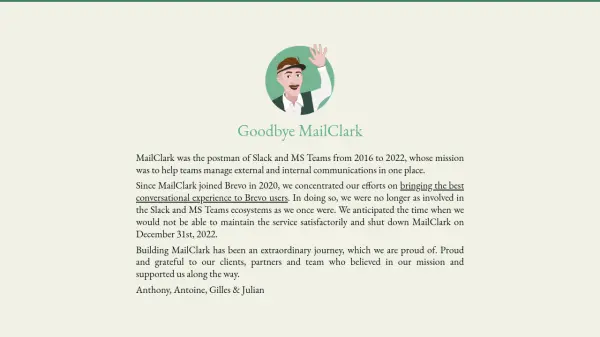
After joining Brevo in 2020, MailClark shifted its focus towards improving conversational experiences for Brevo users. This transition led to reduced involvement in the Slack and MS Teams ecosystems, ultimately resulting in the service being shut down on December 31, 2022. The development of MailClark represented a significant journey in team communication solutions.

Features

  • Communication Integration: Centralized external and internal communications in Slack and MS Teams
  • Team Productivity: Streamlined communication workflows to reduce app switching
  • Conversational Experience: Focused on enhancing user interactions within team platforms

Use Cases

  • Managing team communications in Slack
  • Centralizing external messages in Microsoft Teams
  • Improving internal communication workflows

Blogs:

  • AI Testimonial Videos: How to Build Social Proof That Actually Converts

    AI Testimonial Videos: How to Build Social Proof That Actually Converts

    AI testimonial videos are transforming marketing in 2026 by helping businesses create professional customer-style videos quickly and affordably. Using real customer reviews, short scripts, and AI tools like Pollo AI, brands can produce engaging testimonials for social media, landing pages, and ads while saving time and improving conversions.

  • Top 6 AI note-taking tools for 2026: in-person, online, and hybrid use cases

    Top 6 AI note-taking tools for 2026: in-person, online, and hybrid use cases

    Most AI note-taking lists are really lists of meeting bots, which join your video call and transcribe it. That's useful, but it's half the picture. Decisions happen in hallway conversations, client dinners, on-site visits, and hybrid rooms where nobody is on a video link. This guide covers different parts of the note-taking workflow: hardware capture for in-person settings, platform-native tools for online calls, and AI layers for organizing and synthesizing what you've captured. It compares six tools by capture context, workflow fit, pricing, and limitations.

Didn't find tool you were looking for?

Be as detailed as possible for better results