

What is LLMConnect?
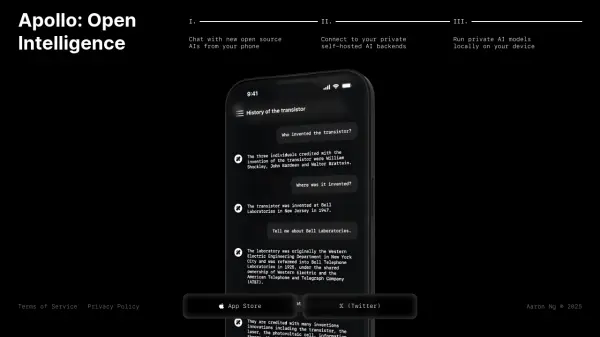
LLMConnect is a comprehensive iOS application designed as a private AI hub that consolidates access to over 20 leading AI models from providers such as OpenAI, Anthropic, Google, and OpenRouter. The app enables users to seamlessly switch between models like GPT-4, Claude, Gemini, and others within a single, intuitive interface, eliminating the need for multiple applications.
Beyond basic chat functionality, LLMConnect offers advanced features including custom AI bot creation with personalized knowledge bases, AI image generation with style presets, document analysis using OCR technology, and voice conversations with real-time responses. The app prioritizes privacy with local data storage, Face ID protection, and direct connections to AI providers, while also supporting offline use through downloadable local models and multi-language localization for global accessibility.
Features
- Multiple AI Providers: Access to OpenAI ChatGPT, Anthropic Claude, Google Gemini, OpenRouter with 400+ models, Groq, Grok, Perplexity, DeepSeek, and Mistral in one interface
- Custom AI Bots: Create up to 10 personalized AI assistants with specific personalities, roles, expertise, names, avatars, system instructions, and knowledge bases
- AI Image Generation: Transform text prompts into images using advanced AI with multiple style presets and customization options
- Document Analysis with OCR: Attach PDFs, images, and documents for automatic text extraction using optical character recognition technology
- Voice Conversations: Engage in hands-free voice chats with real-time AI responses for natural interaction and accessibility
- Offline Functionality: Download local AI models to chat without internet connection, ensuring privacy and travel convenience
- Privacy & Security: Direct connections to AI providers without intermediary servers, Face ID/Touch ID protection, encrypted API keys, and temporary auto-deleting chats
- Smart Organization: Organize conversations in custom colored folders, pin important chats, archive completed ones, search across messages, and sync via iCloud
Use Cases
- Consolidating multiple AI model interactions into a single application for efficiency
- Creating specialized AI assistants for specific tasks or knowledge domains
- Generating visual content from textual descriptions for creative projects
- Analyzing documents, receipts, or screenshots without manual text extraction
- Conducting hands-free AI conversations while multitasking or for accessibility needs
- Using AI models securely while traveling or in areas with limited internet connectivity
- Protecting sensitive conversations with biometric authentication and auto-deletion features
- Organizing and synchronizing AI conversations across multiple Apple devices
FAQs
-
What iOS version is required to use LLMConnect?
LLMConnect requires iOS 17.0 or later to function properly. -
How many custom AI bots can I create with LLMConnect?
You can create up to 10 custom AI bots, each with personalized names, avatars, system instructions, and knowledge bases. -
Does LLMConnect support multiple languages?
Yes, LLMConnect is fully localized in 8 languages including English, Spanish, French, German, Italian, Portuguese, Hindi, and Chinese. -
Can I use LLMConnect without an internet connection?
Yes, you can download local AI models to your device and chat completely offline without requiring an internet connection. -
How does LLMConnect protect my privacy and data?
LLMConnect uses direct connections to AI providers without intermediary servers, encrypts API keys in iOS Keychain, offers Face ID/Touch ID protection, and provides temporary auto-deleting chats for sensitive conversations.