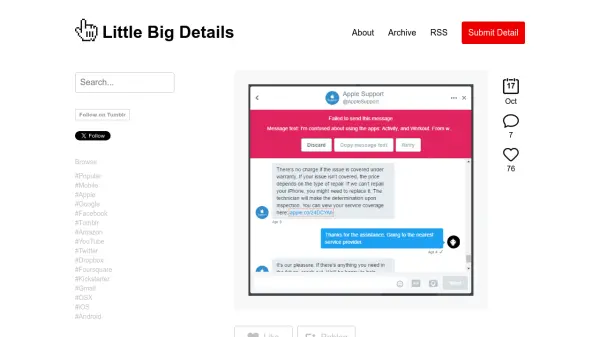
What is Little Big Details?
Little Big Details is a curated blog that celebrates the small, often overlooked design and user experience (UX) choices that make digital products delightful. The site collects and shares examples of clever interactions, thoughtful micro-interactions, and smart design decisions from well-known platforms like Google, Twitter, Slack, and more. Each post highlights a specific detail, explaining why it enhances usability or brings joy to the user. The archive is organized by popularity and brand, making it easy to browse. Readers can also submit their own finds to contribute to the community.
Features
- Curated UX Details: Showcases thoughtful design and UX micro-interactions from well-known apps and websites.
- Brand Browsing: Allows users to browse details by specific companies like Google, Apple, Twitter, and more.
- Popularity Sorting: Offers a 'Popular' filter to view the most appreciated details.
- Community Submissions: Enables readers to submit their own discovered UX details.
- RSS Feed: Provides an RSS feed for subscribers to get updates.
- Weekly Newsletter: Offers a newsletter for regular curated content.
Use Cases
- Inspiration for UX designers and product teams.
- Learning about effective micro-interactions in digital products.
- Staying updated with best practices in user interface design.
- Discovering thoughtful details in everyday apps and websites.
FAQs
-
How can I submit a UX detail to Little Big Details?
You can submit a UX detail by using the 'Submit Detail' link on the website and providing the necessary information about the detail you discovered. -
Is Little Big Details free to use?
Yes, Little Big Details is completely free to browse and subscribe to. -
Can I browse details by specific brands?
Yes, the site offers a brand-based browsing feature, allowing you to filter details by companies like Google, Apple, Twitter, and many others. -
Does Little Big Details have a newsletter?
Yes, a weekly newsletter is available for users who want curated UX details delivered to their inbox.