What is Linqdrop?
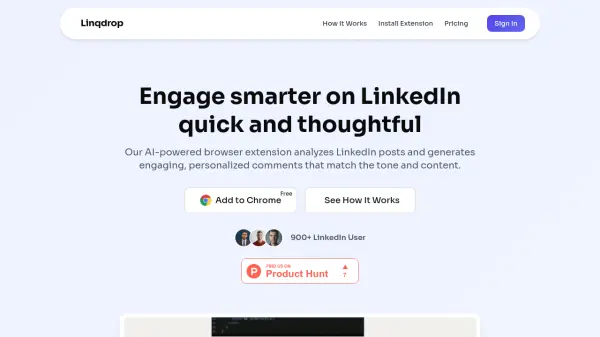
Linqdrop uses advanced AI to analyze the content and tone of LinkedIn posts, generating contextually relevant comments that match your writing style. The browser extension integrates directly with LinkedIn, allowing you to generate and post comments with just a few clicks. It helps professionals save time, increase engagement, and maintain a consistent presence on the platform. Features include multi-language support, customizable tone matching, and a user-friendly interface. Whether you are a marketer, founder, or consultant, Linqdrop streamlines the process of crafting thoughtful replies, enabling you to focus on building meaningful connections.
Features
- AI-Generated Comments: Automatically generates thoughtful, context-relevant comments for LinkedIn posts.
- Personalized Tone Matching: Adapts comments to match your writing style and the post's context.
- Multi-Language Support: Generate comments in multiple languages for global networking.
- Browser Extension: Seamlessly integrates with Chrome, Firefox, and Edge for easy use on LinkedIn.
- Time-Saving: Generate comments in seconds instead of spending minutes crafting each response.
Use Cases
- Increase LinkedIn engagement and visibility with consistent commenting.
- Save time for busy professionals who need to stay active on LinkedIn.
- Generate personalized comments for networking and building professional relationships.
- Adapt comments to match the tone of industry-specific posts.
FAQs
-
How does Linqdrop work?
Linqdrop uses advanced AI to analyze the content and tone of LinkedIn posts. It then generates contextually relevant comments that sound like you wrote them. The extension integrates directly with LinkedIn, allowing you to generate and post comments with just a few clicks. -
Is my data secure and private?
Yes, we take data privacy very seriously. We only access the content of posts you're viewing to generate comments. We don't store post content, and your generated comments are only saved in your account for your reference. Our systems are fully GDPR and CCPA compliant. -
Can I customize the tone of generated comments?
Absolutely! Pro and Enterprise users can create custom templates with specific tones (professional, casual, enthusiastic, etc.) and save their preferences. Even on the free plan, you can edit any generated comment before posting to add your personal touch. -
Which browsers are supported?
Linqdrop currently supports Chrome, Firefox, and Edge browsers. We're working on support for Safari and other browsers in the near future. The extension works on both desktop and mobile versions of these browsers. -
Can I cancel my subscription anytime?
Yes, you can cancel your subscription at any time from your account settings. If you cancel, you'll continue to have access to your paid features until the end of your current billing period. After that, your account will revert to the free plan.