What is Lingo?
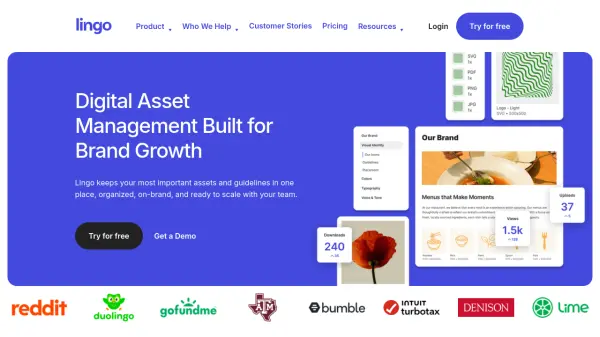
Lingo is a digital asset management platform designed to streamline brand asset organization and distribution. It provides a centralized hub where teams can store, manage, and share digital assets such as logos, fonts, files, and marketing materials. The platform eliminates folder-based chaos by offering drag-and-drop organization, metadata tagging, and visual workspaces that make assets easily searchable and accessible.
With features like automatic file conversion, version history, and usage insights, Lingo ensures assets are always current and properly utilized. It supports secure sharing through password-protected kits and portals, while integrations with other tools enhance workflow efficiency. By combining asset management with brand guidelines, Lingo helps organizations maintain consistency across all channels and scale their brand effectively.
Features
- Digital Asset Management: Store, organize, and manage brand assets effortlessly in a centralized hub
- Brand Portals: Create centralized hubs to share brand assets and kits with built-in guidelines
- Kits: Organize and showcase assets with drag-and-drop editing and usage guidance
- Library: Maintain a single source of truth for every asset with metadata and tagging
- File Conversion & Downloads: Automatically optimize assets with the right format for every file
- Insights: Track real-time usage and prove assets are actually being used
- Metadata & Tagging: Organize assets consistently using metadata and direct links
- Visual Workspace: Manage assets through an intuitive visual interface
Use Cases
- Creating and maintaining digital brand guidelines
- Managing marketing and sales content for teams
- Organizing product visuals and brand assets for retail distribution
- Streamlining asset management across technology company departments
- Maintaining consistent branding for higher education institutions
- Distributing brand materials to agencies and external partners
- Replacing traditional cloud storage like Google Drive or Dropbox for brand assets
- Enabling sales teams with instant access to up-to-date sales content
FAQs
-
What is the difference between an editor and a consumer in Lingo?
An editor is anyone with edit access to your content, while a consumer is anyone who accesses your content without edit permissions, including logged-in users and guests viewing public kits and portals. -
What happens if I exceed the included consumer usage on my plan?
Consumer usage has a soft limit. If you exceed it, Lingo will contact you to discuss your needs and potential plan upgrades without surprise charges. -
How does billing adjust when adding or removing editors mid-cycle?
Charges adjust automatically based on prorated access time. You'll be charged immediately for the remaining time in your billing cycle. -
What types of teams can benefit from using Lingo?
Lingo helps brand teams, agencies, small and medium businesses, and enterprises across industries like technology, retail, finance, higher education, and athletics. -
Can Lingo replace traditional cloud storage solutions?
Yes, Lingo is designed to move beyond static asset storage in tools like Google Drive and Dropbox by providing organized, searchable brand asset management with built-in guidelines.