What is Krea?
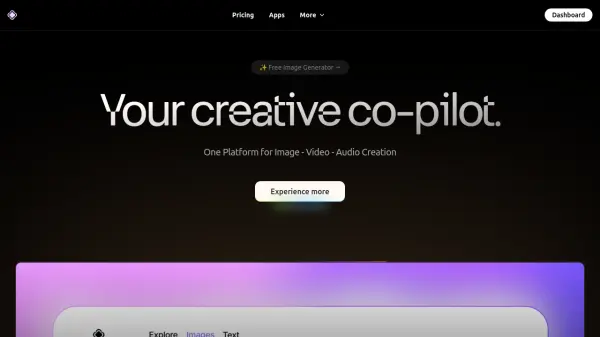
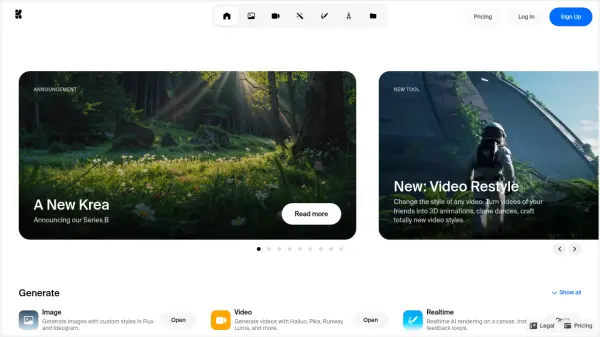
Krea provides a comprehensive platform equipped with various AI-driven tools designed for creative tasks. Users can generate images utilizing custom styles through integrations like Flux and Ideogram, and create videos employing models such as Hailuo, Pika, and Runway. The platform includes a realtime AI rendering feature on a canvas, enabling immediate visual feedback during the creation process. Additionally, it offers capabilities to enhance and upscale both real and AI-generated images up to 4K resolution.
Further functionalities allow for sophisticated editing of images, including moving, replacing, or adding objects. Krea extends into three-dimensional creation by generating textured 3D objects from text descriptions or existing images. Users can also train the AI to replicate specific visual styles, products, or characters for personalized outputs. An interactive chat interface facilitates communication with the AI in natural language for generating content, iterating on ideas, and learning about the tool's features. Tools for restyling existing videos and animating static images using AI-powered keyframe interpolation are also available.
Features
- Image Generation: Generate images with custom styles using Flux and Ideogram.
- Video Generation: Create videos using models like Hailuo, Pika, Runway, Luma, with camera controls.
- Realtime AI Rendering: Render AI creations instantly on a canvas for immediate feedback.
- Image Enhancer: Upscale and enhance real or generated images up to 4K resolution.
- Image Editing: Modify images by moving, replacing, or adding objects.
- 3D Object Generation: Generate textured 3D meshes from text prompts or images.
- AI Style Training: Teach the AI to replicate specific styles, products, or characters.
- AI Chat Interface: Interact using natural language to generate images, videos, and learn.
- Video Restyling: Apply different artistic styles to existing videos.
- Image Animation: Animate images using AI-powered keyframe interpolation.
Use Cases
- Creating custom illustrations and digital art.
- Generating unique video content and animations.
- Developing 3D assets from text or image inputs.
- Upscaling and improving the quality of images.
- Editing photographs or generated images seamlessly.
- Applying distinct visual styles to video footage.
- Animating static images for dynamic content.
- Training AI for consistent brand visuals or character styles.