Jetpack favicon

Jetpack
Comprehensive security, performance, and marketing tools for WordPress sites

What is Jetpack?

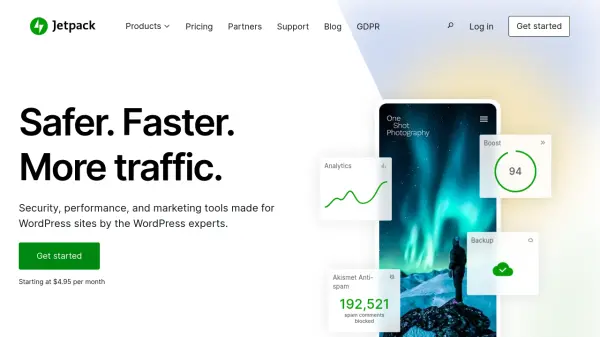
Jetpack offers enterprise-grade security solutions for WordPress sites including real-time cloud backups, malware scanning with one-click fixes, and advanced spam protection through Akismet. Its performance features include a global CDN for faster content delivery, automated speed optimization tools, and integrated video hosting with VideoPress.

The platform's AI Assistant enhances content creation with grammar checks, tone adjustments, and automated translation capabilities. Growth tools encompass social media automation, CRM integration, and detailed analytics to help users expand their online presence while maintaining robust website security.

Features

  • Real-Time Backups: Automatic cloud backups with 30-day archive and one-click restoration
  • AI Assistant: Content generation and optimization with grammar checks and tone adjustments
  • Malware Protection: Automated scanning with instant threat resolution capabilities
  • Global CDN: Free content delivery network for improved site speed
  • VideoPress: Ad-free HD video hosting integrated with WordPress editor

Use Cases

  • Securing WordPress sites against cyber threats
  • Optimizing website loading speeds for better SEO
  • Automating social media content distribution
  • Generating AI-assisted blog content
  • Managing customer relationships through native CRM

Related Tools:

Blogs:

  • Top AI tools for Teachers

    Top AI tools for Teachers

    Explore the top AI tools designed for teachers, revolutionizing the education landscape. These innovative tools leverage artificial intelligence to enhance teaching efficiency, personalize learning experiences, automate administrative tasks, and provide valuable insights, empowering educators to create engaging and effective educational environments.

  • Top 6 AI note-taking tools for 2026: in-person, online, and hybrid use cases

    Top 6 AI note-taking tools for 2026: in-person, online, and hybrid use cases

    Most AI note-taking lists are really lists of meeting bots, which join your video call and transcribe it. That's useful, but it's half the picture. Decisions happen in hallway conversations, client dinners, on-site visits, and hybrid rooms where nobody is on a video link. This guide covers different parts of the note-taking workflow: hardware capture for in-person settings, platform-native tools for online calls, and AI layers for organizing and synthesizing what you've captured. It compares six tools by capture context, workflow fit, pricing, and limitations.

Didn't find tool you were looking for?

Be as detailed as possible for better results