What is WP-Stack?
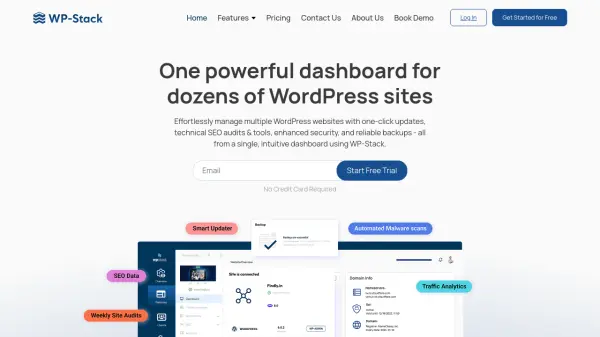
WP-Stack provides a comprehensive platform for managing numerous WordPress websites from a centralized dashboard. Leveraging AI-powered tools, it automates technical SEO audits, monitors domain and SSL expiry, secures sites against malware, and allows easy content publication directly from Google Docs or Docx files. Users benefit from real-time alerts, seamless backup and restore options, and consolidated performance reporting to keep every website optimized and protected.
Engineered for agencies, freelancers, and website administrators, WP-Stack supports bulk updates, client reporting, and smart user management. Its functionalities enhance productivity, reduce manual tasks, and ensure high website performance with features such as automated internal linking, activity logging, code insertion, and integration with analytics tools for actionable traffic insights.
Features
- Technical SEO Audit: AI-powered website site audits and performance reporting
- Content Publisher: Direct publishing and bulk uploads from Docs or Docx to WordPress
- Domain Monitor: Real-time monitoring of domain and SSL expiry status with alerts
- WordPress Security: Automated daily malware scans and instant malware removal
- Automated Backup: Incremental and offsite daily backups with one-click restore
- Activity Logs: Real-time file, database, plugin, and theme change tracking
- Social Media Management: Schedule posts, plan content calendars, and track performance
- Performance Monitor: Google Search Console integration and SEO insights
- Auto-Link Tool: Automated keyword linking across content
- Smart User Management: Centralized user role control and suspicious activity monitoring
Use Cases
- Automate technical SEO audits for multiple WordPress sites
- Bulk publish content from Google Docs or Docx files to several websites
- Monitor uptime, domain, and SSL certificate expiry across all managed sites
- Schedule, manage, and restore automated daily backups to prevent data loss
- Secure multiple WordPress installations with real-time malware scanning and instant removal
- Generate detailed website performance and traffic analytics for clients or stakeholders
- Delegate tasks and manage teams with controlled dashboard access
- Centralize plugins, themes, and code snippet management for numerous sites
FAQs
-
Do you offer a free trial?
WP-Stack provides a 7-day free trial with limited dashboard access, allowing users to add one website for evaluation. -
Is there a money-back guarantee?
WP-Stack offers a 30-day money-back guarantee. If you are not satisfied, you can email support for a full refund without questions. -
If I choose the annual billing plan, do I have to pay upfront for the entire year?
Yes, the yearly subscription requires upfront payment at registration, offering savings of 30% or more. -
Can I customize my WP-Stack plan?
Plans can be customized by contacting the WP-Stack engineering team directly. -
Are there any contracts or setup fees?
WP-Stack does not require setup fees or contracts. Users can switch or cancel plans at any time.