
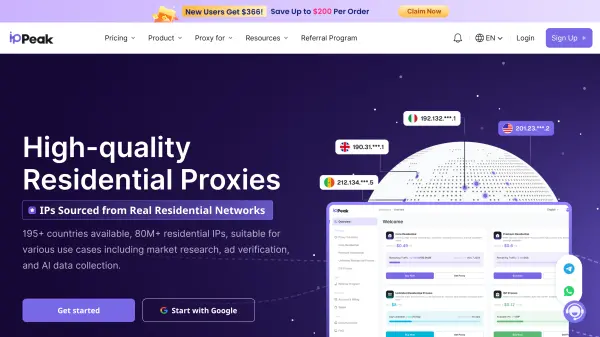
What is IPPeak?
IPPeak is a residential proxy service that provides businesses and individuals with access to a pool of over 80 million real residential IP addresses across more than 195 countries. Acting as an intermediary bridge between user devices and the internet, the platform allows organizations to select specific geographic IP locations to securely access publicly available web data. The service operates with a strict no-logs policy to maintain user confidentiality and neither stores nor tracks browsing history or connection data.
The platform offers several proxy configurations tailored to varying operational demands, including dynamically rotating residential proxies and static ISP proxies for long-term stability. Engineered for high-speed performance and reliability during peak traffic periods, the network maintains a 99.95% connection success rate and an average response time of 0.5 seconds. Users can configure endpoints through a centralized dashboard and integrate proxy credentials via HTTP and SOCKS5 protocols across multiple programming languages.
Features
- Global IP Network: Access to over 80 million ethically sourced residential IP addresses across more than 195 countries.
- High Speed and Stability: Delivers a 99.95% connection success rate with average response times of 0.5 seconds.
- No-Logs Privacy Policy: Protects user confidentiality by never storing or tracking browsing history or connection logs.
- Unlimited Concurrent Sessions: Supports simultaneous connections without session restrictions on residential proxy plans.
- Static ISP Proxies: Offers dedicated, unshared ISP residential IP addresses across 30+ countries with unlimited bandwidth.
- Geo and ASN Targeting: Allows users to flexibly select IP locations and target specific Autonomous System Numbers.
- Dual Protocol Support: Compatible with both HTTP and SOCKS5 protocols for versatile software integration.
- Multi-Language Integration: Provides code integration support for C/C++, Go, Node.js, PHP, Java, and Python.
Use Cases
- Market research
- Ad verification
- AI data collection
- Brand protection
- SEO monitoring and competitor analysis
- Web scraping
- E-commerce data monitoring
- Social media management
- Travel fare aggregation
How It Works
Create a subscription
Start by creating a subscription plan that aligns with your needs to gain access to the pool of unique residential IP addresses.
Configure your endpoint
Set up an endpoint in the dashboard to specify the destination where your proxy traffic will be routed.
Receive your proxy
The system automatically assigns a proxy based on your chosen endpoint and provides the IP address, port, and authentication credentials.
Integrate and use
Integrate the proxy details into your software or application to access the internet with a different IP address.