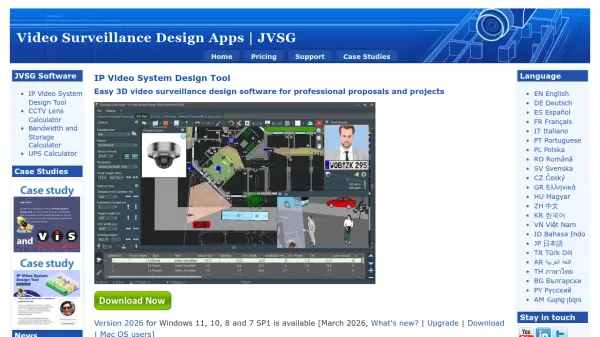
What is IP Video System Design Tool?
IP Video System Design Tool by JVSG is a professional software application for designing video surveillance systems. It enables security professionals to plan camera placement, calculate lens focal lengths, and estimate bandwidth and storage requirements with precision. The tool supports import of floor plans and AutoCAD drawings, and offers realistic 3D modeling to visualize camera coverage and DORI zones (Detection, Observation, Recognition, Identification). With a database of over 21,800 camera models and vendor-agnostic design capabilities, it helps create professional proposals and work orders. The software can operate fully offline for maximum data security.
Features
- 3D CCTV Design: Realistic 3D models and simulations to visualize camera coverage and DORI zones
- Lens Calculator: Calculate focal length, field of view, and pixel density (PPM/PPF) based on camera specs
- Bandwidth and Storage Calculator: Estimate network bandwidth and disk space for video archives with RAID support
- Large Camera Database: Vendor-agnostic database of 21,800+ camera models with pre-configured parameters
- Import/Export: Import floor plans (JPEG, PNG, PDF, TIFF, DWG) and export to PDF, DOC, XLS, DWG/DXF
Use Cases
- Designing video surveillance systems for commercial buildings
- Planning security camera placement for retail stores
- Creating professional proposals for security system installations
- Calculating lens requirements for specific identification needs
- Estimating storage and bandwidth for large-scale CCTV projects
FAQs
-
What is the difference between Pro and Expert versions?
The Pro version supports up to 64 cameras per project, while the Expert version supports up to 256 cameras. Expert also includes import of AutoCAD drawings (.dwg, .dxf), export of AutoCAD drawings, import of user 3D models, and ANPR/Face Recognition zones. -
Can I try the software before purchasing?
Yes, a free trial version is available for download on the JVSG website. -
Is the software available for Mac?
The software is designed for Windows, but versions have been tested with Parallels Desktop for Mac. -
What is the money-back policy?
A 14-day money-back guarantee is provided, subject to terms such as contacting technical support first and not claiming a refund due to misunderstanding of the product's capabilities.