
What is IMWCMS?
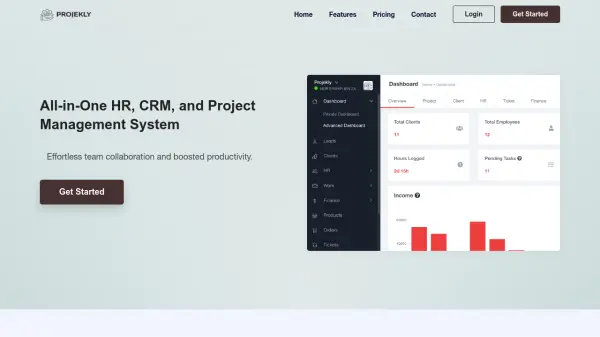
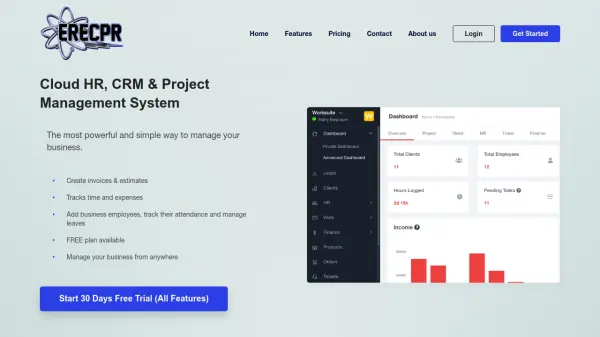
IMWCMS provides a unified platform for managing various business operations, including project management, human resources, client relationships, and team collaboration. It enables organizations to streamline workflows, track employee activities, manage finances, and enhance productivity through real-time data and automation features.
The tool offers functionalities such as task assignment, time tracking, attendance management, invoice generation, and lead management, all accessible from a centralized dashboard. It supports both in-house and remote teams with features like group chats, file sharing, and ticket support systems to facilitate seamless communication and issue resolution.
Features
- Project Management: Create project plans, assign tasks with due dates, track progress with interactive Gantt Charts, and generate real-time reports
- HR Management: Manage employee lifecycle, track attendance, leaves, and salary, simplify HR work with online approvals and deep insights
- Client Management: Improve client relationships with a real-time workspace for team members and clients to monitor project details
- Team Collaboration: Collaborate with in-house and remote teams through group chats, file sharing, and instant communication tools
- Financial Management: Control budget and finances with payback period calculations, financial forecasting, and expense tracking
- Time Tracking: Plan, schedule, monitor, and control project activities with time management features to save time and money
- Lead Management: Keep leads in a centralized and customizable database for easy management and visibility
- Ticket Support System: Rapidly resolve queries with a 24/7 support team available through a ticket system for HR, CRM, or project management issues
Use Cases
- Managing projects and tasks for in-house or remote teams
- Tracking employee attendance, leaves, and salary for HR departments
- Sending invoices, estimates, and tracking expenses for financial management
- Collaborating with teams through chats, file sharing, and discussions
- Managing client relationships and leads in a centralized database
- Automating workflows to improve productivity and deliver projects faster
- Resolving business issues with a ticket support system for HR, CRM, or project management
FAQs
-
What if I want to change my plans?
You can change your plan at any time by approaching the support team to choose a plan that suits your requirements. -
Can I cancel my plan at any time?
Yes, you can cancel or opt-out of your plan anytime, but there will be no refund if canceled in the middle of the month or year. -
How many days of the free trial are provided?
There is a 30-day free trial to analyze services and features before purchasing a plan. -
Do I need to pay for every user?
No, you can add users as per your requirements without paying extra. -
How can I pay for plans?
You can pay via bank transfer, visa card, or master card.