What is ImgBurn?
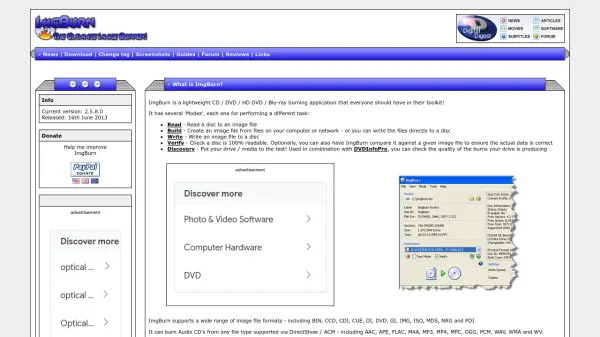
ImgBurn is a comprehensive disc burning application designed for handling CD, DVD, HD DVD, and Blu-ray media. It operates through distinct modes: Read for extracting disc contents to image files, Build for creating images from computer files or writing directly to discs, Write for burning image files to discs, Verify for ensuring disc readability and data accuracy, and Discovery for testing drive and media quality in conjunction with DVDInfoPro.
The tool supports a wide array of image formats including BIN, CCD, CDI, CUE, DI, DVD, GI, IMG, ISO, MDS, NRG, and PDI, and can burn Audio CDs from various file types like AAC, APE, FLAC, M4A, MP3, MP4, MPC, OGG, PCM, WAV, WMA, and WV. It facilitates building DVD Video, HD DVD Video, and Blu-ray Video discs from respective folder structures, supports Unicode for international character sets, and is compatible with all Microsoft Windows versions from Windows 95 to Windows 10, including 64-bit editions, with potential operation on Linux via Wine.
Features
- Read Mode: Extract disc contents to image files
- Build Mode: Create images from files or write directly to discs
- Write Mode: Burn image files to discs
- Verify Mode: Check disc readability and compare against image files
- Discovery Mode: Test drive and media quality with DVDInfoPro
- Format Support: Handles BIN, CCD, CDI, CUE, DI, DVD, GI, IMG, ISO, MDS, NRG, PDI, and audio formats like AAC, MP3, WAV
- Video Disc Building: Create DVD, HD DVD, and Blu-ray Video discs from folder structures
- Unicode Support: Compatible with international character sets
- Cross-Platform Compatibility: Works on Windows 95 to Windows 10 and Linux via Wine
- Advanced Features: Image queue system, layer break selection, automatic write speed settings
Use Cases
- Backing up personal data to optical discs
- Creating audio CDs from digital music files
- Burning DVD or Blu-ray movies from video files
- Verifying the integrity of burned discs
- Testing optical drive and media performance
- Building disc images for software distribution
- Archiving files to long-term storage media
- Creating bootable discs for operating system installation