What is Image to Draw.io?
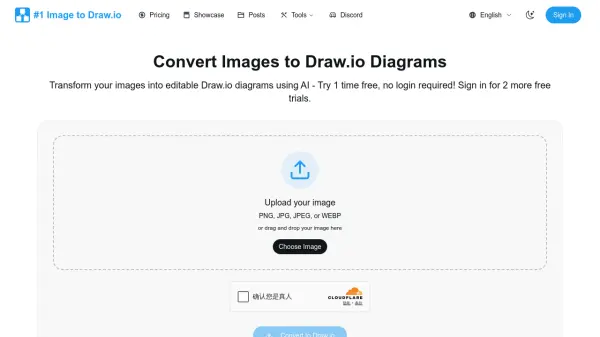
Image to Draw.io provides a specialized conversion service that transforms static diagram images into editable Draw.io files using artificial intelligence. The service employs advanced computer vision models to detect shapes, text, and connections within images, then reconstructs them in Draw.io's native XML-based mxGraph format. This enables users to convert screenshots, whiteboard photos, legacy diagrams, and other image formats into fully editable diagrams that work across all Draw.io platforms.
The conversion process maintains layout integrity while preserving spatial relationships between diagram elements. Users can immediately edit converted diagrams in an embedded Draw.io editor without downloading additional software. The service prioritizes data privacy by encrypting uploads and deleting processed images after conversion, ensuring user diagrams remain confidential and secure.
Features
- AI-Powered Conversion: Uses advanced computer vision and OCR to accurately detect shapes, text, and connections in images
- Multiple Format Support: Handles PNG, JPG, JPEG, and WEBP image formats for versatile diagram conversion
- Layout Preservation: Maintains spatial relationships and positioning of all diagram elements during conversion
- Embedded Editor: Provides immediate access to Draw.io's full editing capabilities without software downloads
- Privacy-Focused Processing: Encrypts uploads and deletes images after conversion without training AI on user data
Use Cases
- Recovering lost Draw.io source files from exported images
- Converting hand-drawn whiteboard sketches into professional diagrams
- Adapting online diagram examples to specific use cases
- Modernizing legacy documentation by converting old image diagrams
- Transforming meeting notes and workshop whiteboard captures into digital formats
FAQs
-
What image formats does the converter support?
The converter supports PNG, JPG, JPEG, and WEBP formats, handling everything from screenshots to whiteboard photos. -
How long does the conversion process typically take?
Most conversions complete in 1-2 minutes, with complex diagrams potentially taking slightly longer while maintaining workflow efficiency. -
What happens to my uploaded images after conversion?
Uploaded images are encrypted during processing and deleted after conversion, with no AI training on user diagrams to ensure privacy. -
Can I edit converted diagrams without additional software?
Yes, converted diagrams open immediately in the embedded Draw.io editor, allowing full editing capabilities without downloads or installations. -
Do conversion credits expire?
Credits from the Credit Pack never expire, while Pro Monthly offers unlimited conversions during the subscription period.