IcoFont favicon

IcoFont
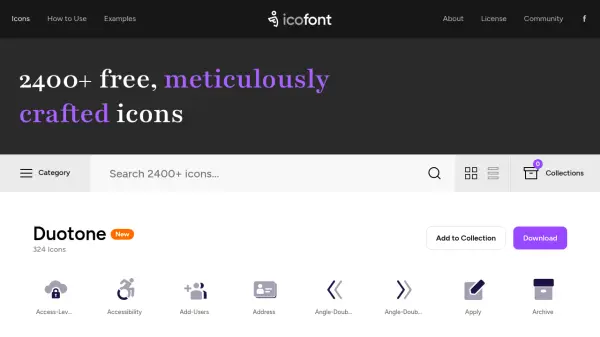
2400+ free, meticulously crafted icons for all your design needs

What is IcoFont?

IcoFont is a comprehensive icon library featuring over 2400 free, meticulously crafted icons designed for various applications. The platform organizes icons into multiple categories including abstract, animal, brand, business, chart, construction, currency, device, directional, education, emoticon, file type, fitness, food, kids, law, mathematical, medical, mobile UI, multimedia, payment, person, search, social, sport, text editor, transport, travel, weather, and web application icons.

The service provides easy access to a diverse collection of icons that can be used in web design, mobile applications, presentations, and other digital projects. With its extensive categorization system, users can quickly find appropriate icons for their specific needs across different domains and industries.

Features

  • Extensive Library: Over 2400 free icons available for download and use
  • Multiple Categories: Icons organized into 30+ categories including business, social, medical, and web application icons
  • Meticulous Craftsmanship: Each icon is carefully designed for quality and clarity

Use Cases

  • Web design projects requiring interface icons
  • Mobile application development needing UI elements
  • Presentation design requiring visual enhancements
  • Educational materials needing illustrative icons
  • Business documentation requiring professional symbols

Related Tools:

Blogs:

  • Top 6 AI note-taking tools for 2026: in-person, online, and hybrid use cases

    Top 6 AI note-taking tools for 2026: in-person, online, and hybrid use cases

    Most AI note-taking lists are really lists of meeting bots, which join your video call and transcribe it. That's useful, but it's half the picture. Decisions happen in hallway conversations, client dinners, on-site visits, and hybrid rooms where nobody is on a video link. This guide covers different parts of the note-taking workflow: hardware capture for in-person settings, platform-native tools for online calls, and AI layers for organizing and synthesizing what you've captured. It compares six tools by capture context, workflow fit, pricing, and limitations.

  • Best AI tools for Product Photography

    Best AI tools for Product Photography

    Explore top AI tools that can elevate your product photography, helping you enhance images, streamline workflows, and create professional visuals with ease.

  • Best Content Automation AI tools

    Best Content Automation AI tools

    Streamline your content creation process, enhance productivity, and elevate the quality of your output effortlessly. Harness the power of cutting-edge automation technology for unparalleled results

Didn't find tool you were looking for?

Be as detailed as possible for better results