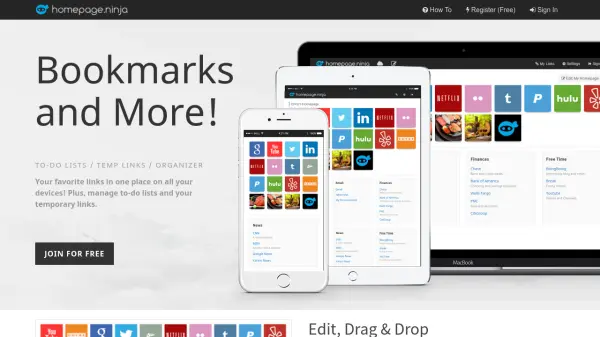
What is Homepage Ninja?
Homepage Ninja is a user-friendly online platform designed to centralize and organize your bookmarks, to-do lists, and temporary links for easy access on any device. With an intuitive drag-and-drop interface, users can effortlessly arrange their favorite website links, manage multiple lists, and store both permanent and temporary bookmarks.
The platform ensures your organized homepage is always accessible from the cloud, allowing you to stay productive and save time by keeping important links just one click away. Homepage Ninja is 100% free to use, making it an accessible solution for anyone seeking a more efficient way to manage their online resources and tasks.
Features
- Drag and Drop Management: Easily organize and arrange stored links and lists.
- Touch Friendly Interface: Designed for effortless use on touch devices.
- Cloud Synchronization: Access all bookmarks and lists across devices via the cloud.
- To-Do & Shopping Lists: Create and manage various task-oriented lists.
- Temporary Link Storage: Save links for later without cluttering your main bookmarks.
- Customizable Homepage: Set your personalized homepage on any browser.
- 100% Free: No cost for registration or primary features.
Use Cases
- Centralizing all important bookmarks for quick access across devices.
- Managing daily to-do lists and shopping lists online.
- Storing temporary links that do not require permanent bookmarking.
- Organizing website links for work, study, or personal projects.
- Setting a unified homepage on all browsers for instant access to favorite sites.