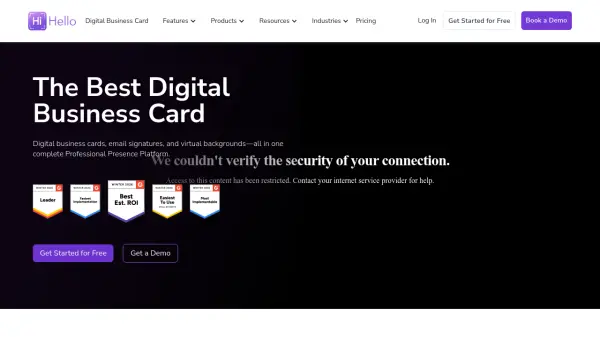


What is HiHello?
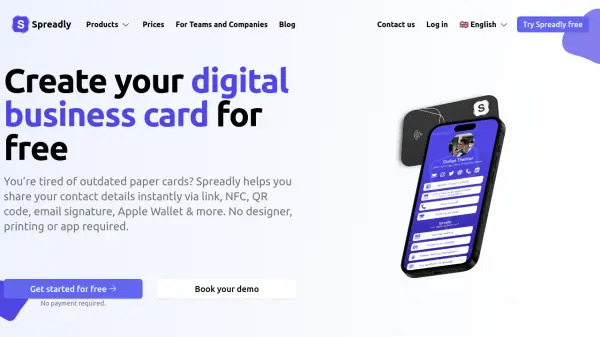
HiHello provides a complete Professional Presence Platform that integrates digital business cards, email signatures, and virtual backgrounds into a single solution. The platform enables professionals to share contact information instantly through customizable digital cards that can be distributed via QR codes, links, text, email, Apple Wallet, and NFC technology. It offers real-time analytics to track card views, shares, and engagement, helping users understand connection patterns and improve networking effectiveness.
For organizations, HiHello delivers enterprise-grade features including centralized card management, brand control across teams, CRM integrations with Salesforce and HubSpot, and SOC 2 Type II compliant security. The platform automates email signature deployment across Microsoft Outlook and Google Workspace, creates branded virtual backgrounds for video meetings, and includes a smart contact scanner that digitizes and enriches business card information. With support for single sign-on, directory synchronization, and advanced user management, HiHello scales from individual professionals to global enterprises with thousands of users.
Features
- Digital Business Cards: Customizable contact cards shareable via QR codes, links, text, email, Apple Wallet, and NFC
- Email Signature Management: Automated deployment of branded email signatures across Microsoft Outlook and Google Workspace
- Contact Scanning: Smart scanner digitizes paper business cards and enriches contact details automatically
- Virtual Backgrounds: Branded virtual backgrounds for video meetings on Zoom, Teams, and Google Meet
- CRM Integrations: Native integrations with Salesforce, HubSpot, and other CRM platforms for contact synchronization
- Enterprise Security: SOC 2 Type II compliance, SSO support, and advanced user management controls
- Analytics Dashboard: Real-time tracking of card views, shares, and engagement metrics
- Team Management: Centralized administration for creating, distributing, and managing cards across organizations
Use Cases
- Professional networking at conferences and business events
- Enterprise-wide contact management and brand consistency
- Sales team lead capture and CRM integration
- Employee onboarding with pre-configured digital business cards
- Virtual meeting branding with custom backgrounds
- Email signature standardization across organizations
- Contact information digitization from physical business cards
- Team collaboration through shared employee directories
FAQs
-
How do I create a digital business card with HiHello?
You can create a digital business card by signing up for a free account on the HiHello website or mobile app, then adding your name, role, contact details, and customizing the design with brand colors, logos, and links. -
What CRM systems does HiHello integrate with?
HiHello offers native integrations with Salesforce, HubSpot, and Microsoft Dynamics, along with Zapier integration for connecting with other CRM and marketing automation platforms. -
Can I use HiHello for my entire company?
Yes, HiHello offers Business and Enterprise plans specifically designed for teams and organizations, featuring centralized management, template creation, directory synchronization, and enterprise security features. -
How does the contact scanning feature work?
HiHello's contact scanner allows you to scan paper business cards, event badges, or digital cards using your device's camera, automatically digitizing and enriching the contact information before syncing it to your address book or CRM. -
What security measures does HiHello have for enterprise use?
HiHello provides SOC 2 Type II compliance, GDPR and CCPA readiness, support for SSO, SAML, and SCIM protocols, advanced role-based access controls, and continuous monitoring for enterprise security.