hub.cards favicon

hub.cards
The New Standard for Business Cards

What is hub.cards?

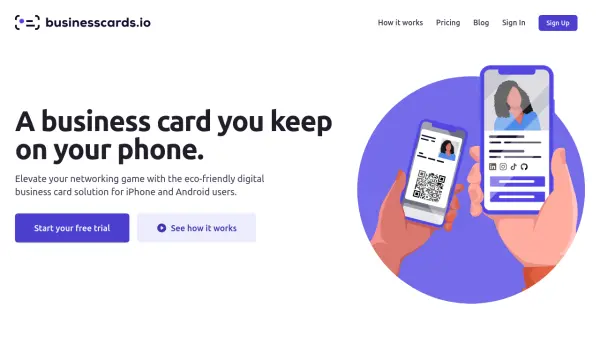
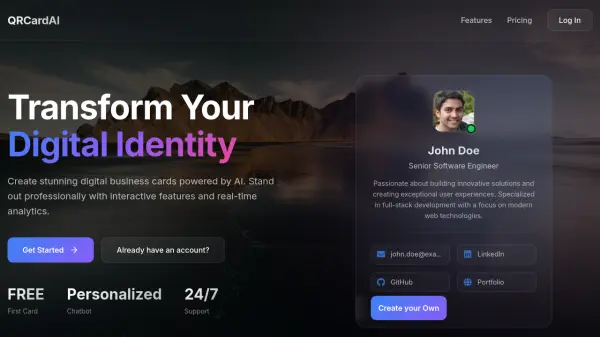
hub.cards is a digital business card and contact management application. It provides tools to design, share, and manage business cards, as well as digitize physical cards.

The platform allows users to create custom digital business cards and share them through various methods, including QR codes, email, text, and social media. It also offers an AI-powered scanner to digitize paper business cards and a contact organizer that syncs across devices.

Features

  • Design Tool: Create and design your business card with a specialized editor and templates.
  • Sharing Options: Share your virtual business card using a QR code, email, text, or social media.
  • Business Card Scanner: Digitize paper business cards with an AI-powered scanner.
  • Contacts Organizer: Manage contacts across all devices and keep them updated.
  • Analytics: Track card impact, including who receives, downloads, or shares it.

Use Cases

  • Creating a digital clone of a paper business card.
  • Networking at events or meetings.
  • Managing professional contacts.
  • Digitizing a collection of paper business cards.
  • Sharing contact information during virtual meetings (e.g., Zoom).

FAQs

  • Can I use hub.cards in my browser?
    Yes, you can use hub.cards in your browser.
  • Can people without the app view my digital card?
    Anyone can retrieve your digital card, even if they don't have the app.

Helpful for people in the following professions

Related Tools:

Blogs:

  • Top 6 AI note-taking tools for 2026: in-person, online, and hybrid use cases

    Top 6 AI note-taking tools for 2026: in-person, online, and hybrid use cases

    Most AI note-taking lists are really lists of meeting bots, which join your video call and transcribe it. That's useful, but it's half the picture. Decisions happen in hallway conversations, client dinners, on-site visits, and hybrid rooms where nobody is on a video link. This guide covers different parts of the note-taking workflow: hardware capture for in-person settings, platform-native tools for online calls, and AI layers for organizing and synthesizing what you've captured. It compares six tools by capture context, workflow fit, pricing, and limitations.

  • Best ai tools for Twitter Growth

    Best ai tools for Twitter Growth

    The best AI tools for Twitter's growth are designed to enhance user engagement, increase followers, and optimize content strategy on the platform. These tools utilize artificial intelligence algorithms to analyze Twitter trends, identify relevant hashtags, suggest optimal posting times, and even curate personalized content.

Didn't find tool you were looking for?

Be as detailed as possible for better results