
What is Heymarket?
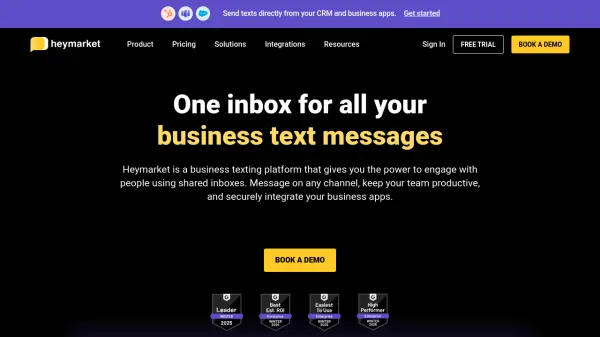
Heymarket provides a centralized platform for managing business text communications. It allows teams to send and receive messages across various channels, including SMS and popular messaging apps, all within a shared inbox.
The platform integrates with leading CRMs and business applications, streamlining workflows and enhancing communication efficiency. Features like AI-assisted messaging, automations, and performance tracking contribute to improved customer engagement and team productivity.
Features
- Shared Inbox: Manage conversations in a shared inbox so any team member can read, reply, or assign messages.
- Private Comments: Collaborate with team members using private comments and in-line discussion threads.
- Lists and Campaigns: Reach groups of contacts, schedule texts, and run drip campaigns with personalized messaging.
- Performance Metrics: Track SMS campaign performance and user behavior to gain insights and optimize team productivity.
- CSAT Surveys: Collect customer satisfaction feedback directly from customer support or service conversations.
- AI-Assisted Messaging: Translate messages, tune texts, generate responses, and detect sentiment to improve communication.
- Administrative Controls: Enterprise-grade administration for user roles, permissions, custom fields, and billing.
- Automations: Trigger text message workflows based on keywords, timing, or message sentiment.
Use Cases
- Customer Service: Shorten agent response times and quickly triage customer inquiries.
- Sales: Schedule meeting reminders and automate prospect follow-ups to accelerate sales cycles.
- Marketing: Send personalized messages to contact lists and run targeted text message marketing campaigns.
- Operations: Send employees crucial information and scheduling updates.
- Recruiting: Engage talent with reminders, fast scheduling, and one-on-one chats.
FAQs
-
What is a team and inbox in Heymarket?
A Heymarket team is a group of users and objects (e.g., contacts, templates, lists, etc), where the objects in the team are shared by default. A team can have one or more shared inboxes, each of which can be configured to support various messaging channels. Administrators control who in the team has access to which shared inboxes. Inboxes are typically set up to message for each department (e.g., Sales, Operations) and/or location (e.g., New York, San Francisco) -
What forms of payment do you accept?
Heymarket supports majors credit cards. For Enterprise, Plus and Pro subscriptions, invoice billing is also available. -
What is a message segment?
1 SMS segment = a 160 bytes message = a 160 basic text character message. If you go over 160 basic text characters you are charged for additional SMS segments. For example: 1-160 character(s) = 1 SMS segment and 161-306 characters = 2 SMS segments.MMS counts as 1 segment. -
How does pricing work for WhatsApp messages?
WhatsApp messages count as message segments toward your monthly or annual message segment allotment. -
What security measures do you implement?
Heymarket is SOC 2 Type 2 compliant and HIPAA compliant. You can learn more about our industry compliance measures on our compliance page, and learn more about our platform’s security features on our security page.