Gunjan App Studios favicon

Gunjan App Studios
Children's Playful Learning Partner

What is Gunjan App Studios?

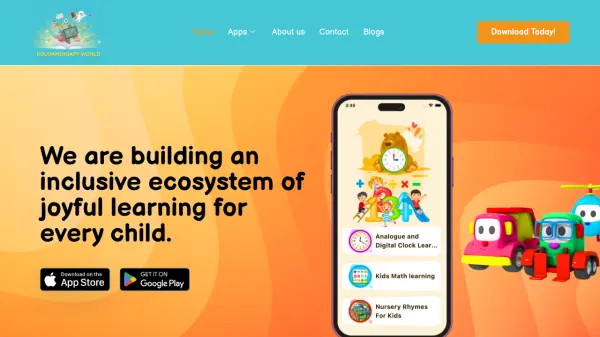
Gunjan App Studios specializes in developing educational games and applications designed for children aged 2 to 12 years. Since 2016, their team of child methodologists has carefully crafted content that transforms screen time into meaningful learning experiences. The platform provides a safe, offline play environment where children can engage with various interactive activities that promote cognitive development and foundational skills.

The studio offers a wide range of games covering topics such as math, language, puzzles, creativity, and life skills. These include number learning games, ABC tracing activities, coloring books, puzzle games, and simulated experiences like doctor games or cooking games. All content is COPPA compliant and has received recognition through awards like Teacher Approved and Parents Choice, ensuring quality and safety for young users.

Features

  • COPPA Compliant Apps: All content meets child online privacy protection standards
  • Offline Play: Games can be played without an internet connection
  • Teacher Approved Awarded: Content has received recognition from educators
  • Parents Choice Awarded: Recognized for quality by parent organizations
  • Wide Age Range: Suitable for children from 2 to 12 years old
  • Variety of Games: Over 50 different educational game types available

Use Cases

  • Preschool learning activities for toddlers
  • Elementary school educational reinforcement
  • Parent-child interactive play sessions
  • Classroom supplementary educational tools
  • Developing basic math and literacy skills
  • Creative expression through coloring and art
  • Problem-solving through puzzles and brain games

Related Tools:

Blogs:

  • Top 6 AI note-taking tools for 2026: in-person, online, and hybrid use cases

    Top 6 AI note-taking tools for 2026: in-person, online, and hybrid use cases

    Most AI note-taking lists are really lists of meeting bots, which join your video call and transcribe it. That's useful, but it's half the picture. Decisions happen in hallway conversations, client dinners, on-site visits, and hybrid rooms where nobody is on a video link. This guide covers different parts of the note-taking workflow: hardware capture for in-person settings, platform-native tools for online calls, and AI layers for organizing and synthesizing what you've captured. It compares six tools by capture context, workflow fit, pricing, and limitations.

  • Top AI tools for Teachers

    Top AI tools for Teachers

    Explore the top AI tools designed for teachers, revolutionizing the education landscape. These innovative tools leverage artificial intelligence to enhance teaching efficiency, personalize learning experiences, automate administrative tasks, and provide valuable insights, empowering educators to create engaging and effective educational environments.

  • Chat with PDF AI Tools

    Chat with PDF AI Tools

    Easily interact with your PDF documents using our advanced AI-powered tool. Whether you're reading lengthy reports, research papers, contracts, or eBooks, our platform lets you chat directly with your PDF files, ask questions, extract insights, and get summaries in real-time.

Didn't find tool you were looking for?

Be as detailed as possible for better results