GraphMind favicon

GraphMind
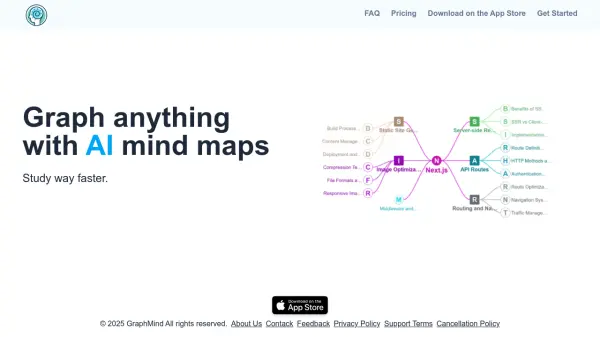
Graph anything with AI mind maps

What is GraphMind?

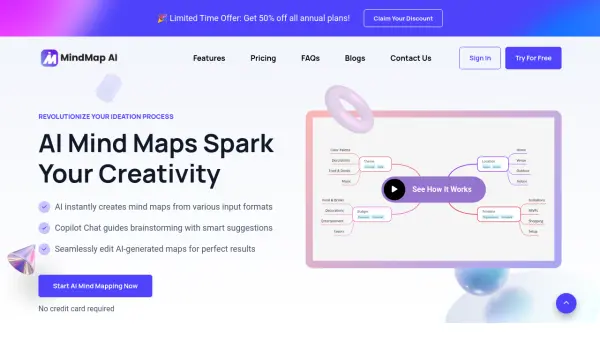
GraphMind is an AI-powered mind mapping application designed to help users visualize and organize information through interactive diagrams. The tool leverages artificial intelligence to generate mind maps, enabling users to structure complex ideas, study materials, or project plans in a clear and intuitive format.

With features like multiple layout modes, unlimited graphics creation, and support for importing images and Excel files, GraphMind provides a versatile platform for both personal and professional use. Users can customize nodes, edit text, and manage permissions to collaborate effectively, making it suitable for students, educators, and professionals seeking to enhance productivity and learning efficiency.

Features

  • AI Generate MindMaps: Automatically creates mind maps using artificial intelligence
  • 8 different layout modes: Offers multiple visual layouts for organizing information
  • Create an unlimited number of graphics: No restrictions on the number of mind maps users can generate
  • Import Images: Supports importing .jpg, .png, and .gif files for visual enhancements
  • Import Excel: Allows importing .xlsx, .xls, and .csv files for data integration
  • Custom node icons: Enables personalization of nodes with custom icons
  • Permission management: Provides controls for adding, editing, and deleting nodes and lines
  • Edit nodes in Text: Allows text editing within nodes for content customization

Use Cases

  • Creating study aids for faster learning
  • Organizing project plans and ideas
  • Visualizing complex information for presentations
  • Collaborating on team projects with editable mind maps
  • Integrating data from Excel files into visual diagrams

Related Tools:

Blogs:

  • Top 6 AI note-taking tools for 2026: in-person, online, and hybrid use cases

    Top 6 AI note-taking tools for 2026: in-person, online, and hybrid use cases

    Most AI note-taking lists are really lists of meeting bots, which join your video call and transcribe it. That's useful, but it's half the picture. Decisions happen in hallway conversations, client dinners, on-site visits, and hybrid rooms where nobody is on a video link. This guide covers different parts of the note-taking workflow: hardware capture for in-person settings, platform-native tools for online calls, and AI layers for organizing and synthesizing what you've captured. It compares six tools by capture context, workflow fit, pricing, and limitations.

  • AI thumbnail maker tools

    AI thumbnail maker tools

    Automatically generate visually appealing and optimized thumbnails for various digital content, streamlining the design process and enhancing visual engagement

  • Best AI Tools For Startups

    Best AI Tools For Startups

    we've compiled a straightforward list of user-friendly AI tools designed to give startups a boost. Discover practical solutions to streamline everyday tasks, enhance productivity, and gain valuable insights without the need for a tech expert. Learn where and how these tools can be applied in your startup journey, from automating repetitive tasks to unlocking powerful data analysis. Join us as we explore the features that make these AI tools accessible and beneficial for startups in various industries. Elevate your business with technology that works for you!

  • Best AI tools for recruiters

    Best AI tools for recruiters

    These tools use advanced algorithms and machine learning to automate tasks such as resume screening, candidate matching, and predictive analytics. By analyzing vast amounts of data quickly and efficiently, AI tools help recruiters make data-driven decisions, save time, and identify the best candidates for open positions.

Didn't find tool you were looking for?

Be as detailed as possible for better results