What is gpx.studio?
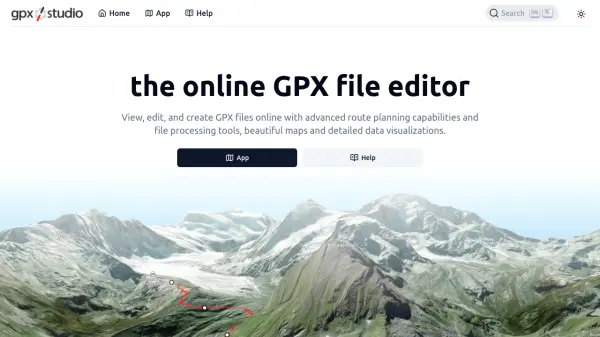
gpx.studio is a comprehensive online platform designed for users looking to view, edit, and create GPX files efficiently. The tool features an intuitive interface for advanced route planning tailored to various sports, utilizing OpenStreetMap data to craft custom itineraries. Users benefit from interactive maps, a variety of basemap options, and detailed data visualization including elevation profiles and statistics to analyze recorded or planned activities.
The suite includes advanced file processing tools such as cropping and splitting traces, applicable to multiple files, alongside robust support for overlays and points of interest. Free to use, ad-free, and fully open-source, gpx.studio encourages community contributions and transparency. The platform is ideal for outdoor enthusiasts seeking precise control and in-depth analysis of their route data online.
Features
- Online GPX Editing: Edit, view, and create GPX files directly in the browser.
- Advanced Route Planning: Plan custom itineraries for various sports using OpenStreetMap data.
- File Processing Suite: Crop, split, and manage multiple GPX files simultaneously.
- Interactive Maps: Access a wide range of basemaps, overlays, and points of interest.
- Detailed Data Visualization: Analyze elevations, statistics, and route metrics with interactive charts.
- Ad-Free Experience: Enjoy all features without advertisements.
- Open Source: Source code is publicly available and community-supported.
Use Cases
- Planning cycling or running routes with detailed elevation profiles.
- Editing recorded GPX tracks to crop or split journeys.
- Creating custom itineraries for hiking or sporting events.
- Visualizing and analyzing outdoor activity data with maps and statistics.
- Processing multiple GPX files for group activities or event planning.