What is FreeYourMusic?
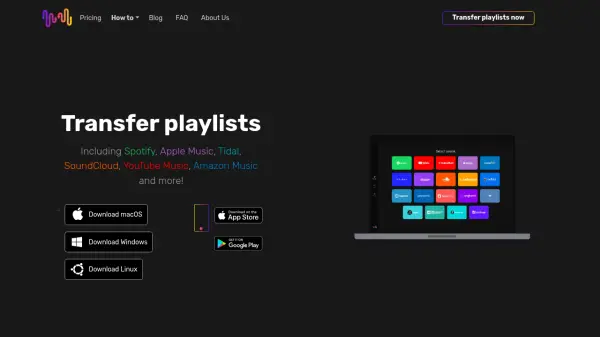
FreeYourMusic enables users to transfer music playlists between major streaming platforms such as Spotify, Apple Music, YouTube Music, Tidal, Amazon Music, and SoundCloud. The app preserves playlist names, song order, and structure, ensuring a seamless migration experience. With features like auto-sync, cloud backup, and rematch for missing songs, FreeYourMusic simplifies the process of switching streaming services. Trusted by millions, it offers a quick and reliable way to move your music library without manual effort.
Features
- Auto-Sync: 15-minute auto-synchronization of playlists and albums.
- Cloud Backup: Playlist security with cloud storage.
- Rematch: One-button fix for missing or incorrect songs.
- Song Order: Preserves your playlist as you intended.
- Unlimited Transfers: Transfer unlimited songs, playlists, and albums.
- Multi-Account Support: One license, multiple accounts.
- All Platforms: Works on iOS, Android, Windows, macOS, and Linux.
Use Cases
- Switching from Spotify to Apple Music
- Migrating playlists from Tidal to YouTube Music
- Moving your library when changing streaming services
- Backing up playlists to another platform
- Consolidating playlists across multiple services
FAQs
-
What is a playlist transfer?
A playlist transfer is the process of moving your music playlists from one streaming service to another. Instead of rebuilding your playlist manually, tools like FreeYourMusic let you transfer playlists automatically. -
Can I transfer playlists between any music streaming services?
Yes! With FreeYourMusic, you can transfer playlists between major services like Spotify, Apple Music, YouTube Music, Amazon Music, TIDAL, Deezer, and more. -
Do I need to create a new account to transfer playlists?
No, you don’t need a new account. Just connect your existing streaming accounts in the FreeYourMusic app, and you can start your playlist transfer right away. -
Will all songs transfer over perfectly?
Most of the time, yes. FreeYourMusic uses a smart matching system to find the same or similar songs across platforms. While rare, some tracks may be unavailable on your new service and won’t transfer. -
Does FreeYourMusic keep my playlist names and order?
Absolutely. When you transfer playlists, FreeYourMusic preserves your playlist titles, song order, and even multiple playlists at once.