What is FreeShow?
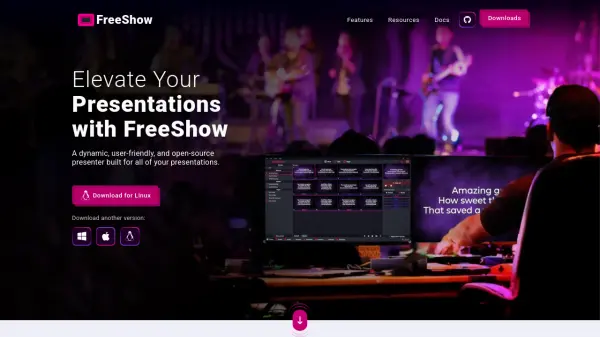
FreeShow is a dynamic, open-source presentation software built specifically for churches and other organizations. It provides a comprehensive set of tools to create, edit, and deliver impactful presentations without any cost. Users can customize text, colors, and layouts extensively, import content from various platforms, and control presentations remotely from mobile devices. FreeShow supports multiple simultaneous views, NDI output, and cloud sync, making it a versatile choice for modern worship services and events. As a non-profit project, FreeShow is free forever, supported by donations.
Features
- Powerful Editing: Limitless customization of text font, size, color, outlines, shadows, and on-the-fly text editing during presentations.
- Timed & Automated Play: Autoplay with timers, countdowns, and MIDI controls for seamless transitions.
- Multiple Views: Simultaneous outputs for in-person, online, and stage views; web output for mobile devices; NDI support.
- Template & Design: Sleek templates and dynamic layouts to modify slide styles quickly.
- Scripture & Lyric Integration: One-click lookup and slide creation for scripture passages and song lyrics.
- Import & Export: Import from PowerPoint, ProPresenter, EasyWorship, OpenSong, etc.; export in multiple formats.
- Cloud Sync: Collaborate on presentations from different computers with cloud sync.
- Remote Control: Control presentations directly from mobile devices.
Use Cases
- Church worship services
- Youth group events
- Conference presentations
- Sermon note display
- Song lyric projection
- Scripture reading slides
FAQs
-
Is FreeShow really free?
Yes, FreeShow is completely free and always will be. It is supported by donations as a non-profit project. -
Can I import presentations from other software?
Yes, FreeShow supports importing from PowerPoint, ProPresenter, EasyWorship, OpenSong, and other platforms. -
Does FreeShow work on multiple platforms?
FreeShow is available for Windows, macOS, and Linux. You can download the appropriate version from the website. -
Can I control FreeShow from my phone?
Yes, FreeShow offers a web output that allows users to control presentations from mobile devices, perfect for remote control.