What is FragCut?
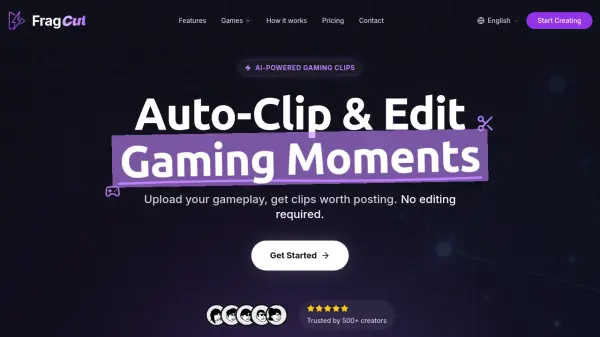
FragCut is an AI-powered clipping tool designed specifically for gaming content creators and streamers. The platform automatically analyzes gameplay videos to detect highlight moments such as kills, aces, clutches, headshot sequences, team wipes, and funny interactions, eliminating the need for manual editing. Users can upload video files up to 4 hours in length or import directly from Twitch URLs, and the AI processes the footage to generate multiple clips worth posting on social media platforms.
The tool converts landscape footage into vertical 9:16 format optimized for TikTok, Instagram Reels, and YouTube Shorts, with automatically generated speech-to-text subtitles burned into each clip. FragCut includes a fine-tune editor for frame-level precision adjustments, a montage maker for stitching multiple clips together, and drag-and-drop reordering capabilities. Processing typically takes 15-30 minutes, generating 5-8 clips per video, allowing creators to maintain consistent posting schedules without spending hours on manual video editing.
Features
- AI Highlight Detection: Automatically analyzes gaming videos to find best moments including kills, aces, clutches, and funny interactions
- Vertical Format Conversion: Converts landscape footage to 9:16 vertical video optimized for TikTok, Instagram Reels, and YouTube Shorts
- Auto Subtitles: Generates speech-to-text subtitles and burns them into clips for viewers watching on mute
- Montage Maker: Stitches multiple clips together with drag-and-drop reordering to create highlight compilations
- Fine-Tune Editor: Adjust start and end times with frame-level precision and preview changes in real-time
- Multiple Clips Per Video: Generates 5-8 clips from a single video for more content to post
Use Cases
- Streamers converting 4-hour Twitch VODs into multiple short-form clips for social media
- Content creators generating highlight reels from competitive gaming matches
- Gaming influencers creating TikTok and Instagram Reels content without manual editing
- Esports players showcasing their best plays and clutch moments
- Variety streamers capturing funny moments and viral content from gameplay sessions
- Professional gamers building social media presence with consistent clip uploads
- Gaming communities creating montage compilations of team highlights
How It Works
Upload or Import
Upload video files (MP4, MOV, WebM, MKV) or paste a Twitch URL. Supports up to 4 hours of footage.
AI Finds Highlights
The AI analyzes your gameplay, finds highlight moments, and creates vertical clips for TikTok and Shorts.
Download and Post
Review your clips and download them. Post directly to TikTok, Shorts, and Reels.
FAQs
-
How does the credit system work?
Credits reset monthly. The Creator plan provides 30 clips per month, while the Pro plan offers unlimited clips. Unused credits do not roll over to the next month. -
Can I upgrade or downgrade my plan anytime?
Yes, you can upgrade or downgrade anytime. Upgrades are charged immediately with prorated billing, while downgrades take effect at the end of your current billing period. -
How long does video processing take?
Processing typically takes 15-30 minutes depending on video length. For Twitch URL imports, additional time is required to download the video before processing begins. -
What is the Montage feature?
The Montage feature allows you to combine multiple clips into one video. You can select clips, drag to reorder them, and hit Auto Stitch to create highlight compilations. -
What happens if I cancel my subscription?
You can cancel anytime and will keep access until the end of your billing period. Your account downgrades after that, but you can resubscribe at any time.