What is FLOOR?
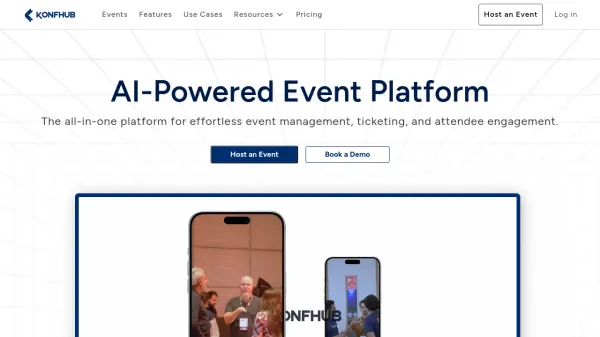
FLOOR offers an integrated solution for organizations seeking to launch and grow virtual, hybrid, or in-person events. Designed as a community-first event platform, it enables users to easily set up, brand, manage, and monetize events of any scale, including conferences, workshops, trade shows, meetups, and award shows.
The platform provides key functionalities such as AI-powered matchmaking for networking, customizable branding, automated communications, ticketing, real-time analytics, and a rich suite of engagement tools like polls, Q&A, and social forums. With a scalable, browser-based infrastructure requiring no downloads, FLOOR ensures efficient event execution, robust audience insights, and seamless experiences across devices.
Features
- AI Matchmaking: Facilitates networking and engagement by pairing event participants with similar interests using artificial intelligence.
- Custom Branding: Offers extensive options for customizing event pages, backgrounds, and domains.
- Automated Communication: Sends reminders, emails, and event notifications automatically to increase attendance and engagement.
- Real-Time Analytics: Provides actionable insights on participant behavior and event performance.
- Integrated Ticketing: Supports delegate ticketing, sponsor and exhibitor booking with access control.
- Multi-Device Support: Fully browser-based and optimized for laptops, desktops, tablets, and smartphones.
- Community Wall & Feed: Social features for participant interaction, polls, and discussion.
- Session Recordings: Allows event organizers to record, archive, and share session content.
- Networking Tools: Text and video networking before, during, and after events.
- Scalable Infrastructure: Supports unlimited participants with secure, high-performance servers.
Use Cases
- Hosting virtual conferences and summits for global audiences
- Organizing hybrid events combining physical and digital experiences
- Conducting workshops, meetups, and talk shows for community engagement
- Facilitating online trade shows, fairs, and festivals
- Supporting investor calls and business meetings with integrated networking
- Monetizing events through ticket sales and sponsorship options
- Building branded, interactive digital spaces for education or professional training
FAQs
-
What types of events can be hosted on FLOOR?
FLOOR supports a variety of event formats including virtual, hybrid, and in-person events such as conferences, workshops, trade shows, fairs, meetups, and award shows. -
Does FLOOR provide networking tools for attendees?
Yes, FLOOR offers networking functionalities including AI-powered matchmaking, private messaging, 1-2-1 video meetings, and searchable user directories. -
Is branding customization available?
FLOOR provides extensive branding options, allowing users to customize domains, backgrounds, and event pages. -
How does pricing work on FLOOR?
FLOOR operates on a freemium model, with a free tier and paid plans starting from $50 per month. Higher tiers offer additional features and increased participant limits. -
Is any download or installation required to use FLOOR?
No downloads are necessary. FLOOR is fully browser-based and compatible with various devices including laptops, desktops, tablets, and smartphones.