What is Flinto?
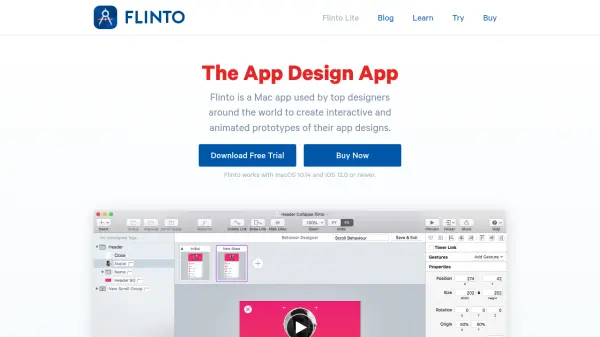
Flinto empowers designers by providing a robust prototyping environment tailored for macOS. The platform streamlines the creation of interactive and animated prototypes for app designs, allowing users to visualize transitions, micro-interactions, and gestures without the need for any coding skills.
With advanced features such as seamless Sketch and Figma import, an innovative transition and behavior designer, vector drawing tools, scrolling animations, and real-time device preview, Flinto significantly reduces design iteration cycles. Users can add haptic feedback, 3D rotations, sound effects, and video layers to prototypes, ensuring high-fidelity representation of their concepts for user testing, client feedback, and development handoff.
Features
- Animated Transitions: Design smooth transitions between screens using the Transition Designer.
- Micro-Interactions: Create detailed micro-interactions with the Behavior Designer.
- Figma & Sketch Import: Seamlessly import projects from Figma or Sketch.
- Advanced Gestures: Supports 10+ gestures including taps, swipes, and 3D touch.
- Vector Drawing Tools: Edit and create user interfaces directly in the app.
- Real-time Preview: Instantly preview prototypes on iOS devices via a dedicated viewer app.
- Scroll-Based Animations: Implement scrollable areas and animations with ease.
- 3D Rotation & Easing: Apply complex animations using spring and cubic-bezier easing controls.
- Haptics & Sound Effects: Add feedback and audio to enhance prototype realism.
- Video & GIF Export: Export animated recordings for sharing and presentation.
Use Cases
- Creating high-fidelity app prototypes for stakeholder reviews
- Testing user interactions before development begins
- Demonstrating complex transitions and micro-interactions in UI/UX presentations
- Collaborating with teams on interactive design projects
- Importing design assets from Sketch or Figma and turning them into rich prototypes
- Showcasing animated app concepts for clients or investors
- Exporting prototype recordings for marketing or educational materials
FAQs
-
Which operating systems does Flinto support?
Flinto is compatible with macOS 10.14 and iOS 12.0 or newer. -
Can I import designs from Figma or Sketch?
Yes, you can import your designs directly from Figma or Sketch into Flinto. -
Is there a free trial available?
Yes, Flinto offers a free 14-day trial for the Mac app and a 30-day trial for Flinto Lite. -
Is Flinto suitable for team collaboration?
Yes, Flinto Lite allows multiple team members to collaborate on prototypes with centralized billing.