FindWise favicon

FindWise
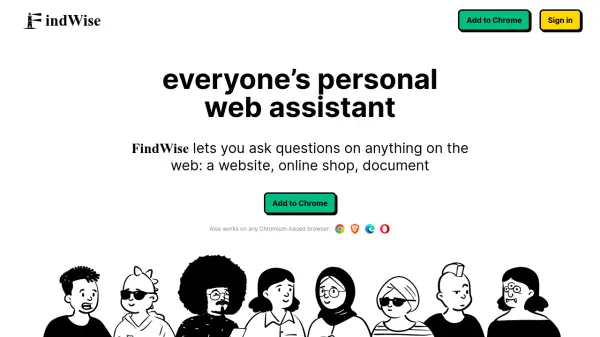
Everyone's Personal Web Assistant

What is FindWise?

FindWise is a personal web assistant that simplifies information discovery on the web. By analyzing the content of a page, the extension provides AI-generated answers to your questions, staying true to the original content and delivering the most relevant information.

This tool streamlines the search process, allowing users to bypass traditional search methods and receive immediate, context-specific answers. It functions within any Chromium-based browser, integrating seamlessly into the user's existing workflow.

Features

  • In-context Questions: Ask anything related to the current website.
  • Fast Responses: Quickly find the information you need.
  • Easy to Use: Simple, conversational interface.
  • Personalized Website Search: Obtain answers specific to the website context.

Use Cases

  • Quickly finding specific information within a lengthy article.
  • Understanding complex topics on a webpage.
  • Answering specific questions about products on an e-commerce site.
  • Summarizing key points from online documents.

Related Tools:

Blogs:

  • Top AI tools for Students

    Top AI tools for Students

    These AI tools are designed to enhance the learning experience for students. From personalized study plans to intelligent tutoring systems.

  • Best ai tools for Twitter Growth

    Best ai tools for Twitter Growth

    The best AI tools for Twitter's growth are designed to enhance user engagement, increase followers, and optimize content strategy on the platform. These tools utilize artificial intelligence algorithms to analyze Twitter trends, identify relevant hashtags, suggest optimal posting times, and even curate personalized content.

  • Top 6 AI note-taking tools for 2026: in-person, online, and hybrid use cases

    Top 6 AI note-taking tools for 2026: in-person, online, and hybrid use cases

    Most AI note-taking lists are really lists of meeting bots, which join your video call and transcribe it. That's useful, but it's half the picture. Decisions happen in hallway conversations, client dinners, on-site visits, and hybrid rooms where nobody is on a video link. This guide covers different parts of the note-taking workflow: hardware capture for in-person settings, platform-native tools for online calls, and AI layers for organizing and synthesizing what you've captured. It compares six tools by capture context, workflow fit, pricing, and limitations.

Didn't find tool you were looking for?

Be as detailed as possible for better results