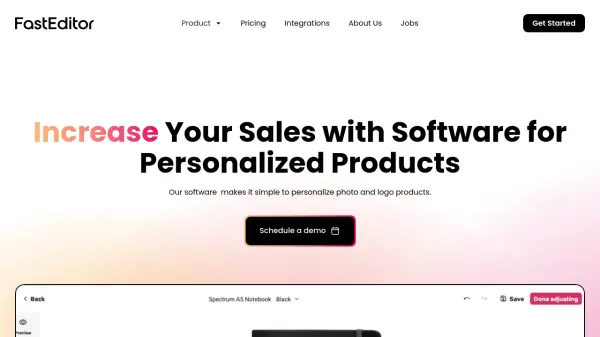
What is FastEditor?
FastEditor provides an all-in-one online solution for businesses aiming to offer personalized photo and logo products to their customers. The platform features advanced editing capabilities, including dynamic 2D and 3D product visualization, intelligent image correction, and fully automated workflows for converting uploads into print-ready files tailored to quality standards.
With the addition of a native mobile app, access to an expansive product hub with over 100,000 items, and integration with leading print production partners, FastEditor streamlines the end-to-end process from product customization to final output. The software emphasizes seamless user experiences, improved conversion rates, and increased client satisfaction through automation and intuitive design tools.
Features
- 2D & 3D Product Models: Real-time visualization for personalized products
- Intelligent Image Correction: Automated quality enhancement for photos
- Print-Ready File Generation: Consistent output tailored to specifications
- Best Size Recommendations: Automated photo sizing based on uploads
- Vectorization Automation: Converts full-color images to vector files automatically
- Product Hub Access: Catalog of over 100,000 customizable products
- Mobile App Integration: Native iOS and Android applications
- CRM Integrations: Seamless customer management compatibility
- Dashboarding: Full analytics and performance tracking
- Direct Print Production: Partnerships with major print producers for fulfillment
Use Cases
- Launching an online business for personalized gifts
- Increasing sales conversion by offering easy-to-use customization tools
- Automating print production with seamless, print-ready file output
- Enabling product visualization with 2D and 3D previews
- Improving the quality of customer-uploaded images before printing
- Expanding an e-commerce product line with new customizable options
- Managing product personalization through a branded mobile app
- Integrating custom products into an existing webshop quickly
FAQs
-
How does FastEditor differ from other logo editors?
FastEditor stands out due to its highly optimized UI/UX for all devices, automated generation of print-ready files, and the ability to onboard a wide range of products from major European producers directly for online sales. -
For whom is the Logo Editor created?
The Logo Editor is designed for promotional product and merchandise companies aiming to sell personalized products online efficiently and boost sales through full process automation. -
Does FastEditor also offer a mobile app?
Yes, FastEditor provides a native iOS and Android app, which is included in Branded and Full Service packages to help clients expand their mobile market presence. -
What are the differences between the Photo and Logo Editor?
While both editors use the same core engine, the Photo Editor focuses on image quality improvements and auto-generating products, whereas the Logo Editor specializes in file identification, background removal, color matching, and automation for vectorization. -
Which file formats do you support for uploading?
Supported file formats include JPEG, JPG, PNG, GIF, HEIC, HEIF, WEBP, SVG, PDF, PostScript (Adobe Illustrator), EPS (Adobe Photoshop), and CorelDRAW documents.