What is EditLume?
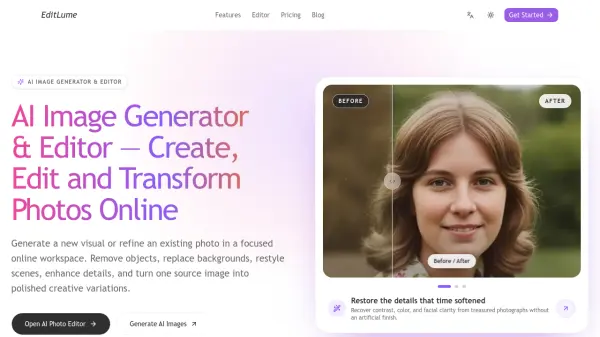
EditLume is an online AI image generator and editor that turns written ideas and existing pictures into polished visuals. Users can generate images from references, remove unwanted objects, replace or remove backgrounds, adjust lighting, restore old photographs, change artistic styles, and enhance image quality through plain-language instructions.
The platform provides focused workspaces for photo editing, image-to-image generation, background removal, background replacement, and image upscaling. It also displays compatible models, aspect ratios, reference limits, resolution options, and credit costs, helping users complete creative work without complex masks, layers, or manual selection tools.
Features
- Prompt-Based Photo Editing: Describe what to add, remove, preserve, relight, or restyle using plain-language instructions.
- Image-to-Image Generation: Transform a photo, sketch, product shot, or mood image while preserving important subjects and visual details.
- Background Tools: Automatically remove backgrounds for transparent PNG files or replace them with studio, lifestyle, outdoor, solid-color, or branded scenes.
- Object Removal and Reconstruction: Erase people, signs, cables, clutter, and imperfections while rebuilding the missing area from the surrounding scene.
- AI Image Upscaling: Enlarge images by 2x or 4x with Topaz while retaining the original composition, with output up to 4096 pixels on the longest side.
- Photo Restoration and Enhancement: Recover contrast, color, facial clarity, lighting, and image detail without an artificial finish.
- Model and Output Controls: Compare compatible models, aspect ratios, reference-image limits, quality settings, resolutions, and credit costs in one workspace.
Use Cases
- Prepare product photographs for online stores, marketplaces, catalogs, and advertisements.
- Create lifestyle and seasonal product scenes from an approved source image.
- Remove distracting people, objects, cables, signs, or clutter from photographs.
- Generate social media posts, creator thumbnails, and alternate image compositions.
- Develop visual concepts for marketing campaigns, presentations, landing pages, and advertisements.
- Restore older photographs and improve portrait lighting, color, backgrounds, and facial clarity.
- Transform reference images into illustrations or other artistic styles.
- Upscale low-resolution images for higher-resolution output.
How It Works
Upload a source image
Choose a photograph, product image, portrait, sketch, or visual reference. Add supporting images when the selected model allows multiple references.
Describe the desired result
Write a direct instruction explaining what should change and what must remain unchanged, then choose a compatible model, aspect ratio, and output quality.
Review, refine, and download
Inspect the generated image at full size, adjust the prompt with a specific correction if needed, generate another version, and download the completed result.
FAQs
-
Which image model and resolution should users choose?
The choice should depend on the task. Some models are better for precise instructions, while others focus on style, composition, or higher-resolution output. EditLume displays compatible aspect ratios, reference limits, quality options, and credit costs for the selected model, with supported output options including 1K, 2K, or 4K. -
Does EditLume require professional photo editing experience?
No. Its main control is a written instruction, so users do not need experience with masks, selections, or layers. Clear prompts should identify the subject, requested change, preferred setting or style, and details that must remain unchanged. -
Can multiple reference images be used?
Multiple references can be used when the selected model supports them. These references can guide the subject, object, composition, or overall visual direction of the generated result. -
Can EditLume images be used commercially?
Permitted use may depend on the source material, selected model, and applicable terms. Users should confirm that they have the necessary rights to uploaded references and review the relevant terms before using an output commercially. -
When should users choose the AI Image Editor instead of Image to Image?
The AI Image Editor is suited to targeted corrections such as removing an object, replacing a background, adjusting lighting, or restoring details. Image to Image is intended for broader changes to a scene, composition, or visual style.