
What is Easy Screen OCR?
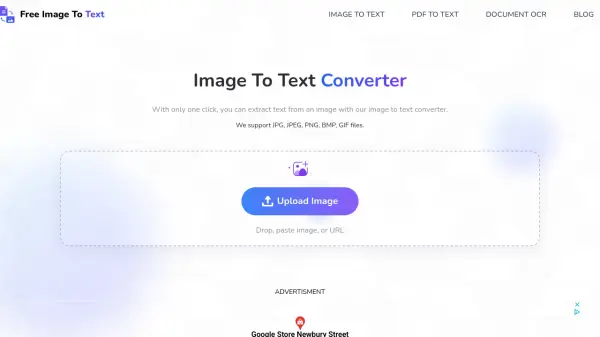
Easy Screen OCR is a versatile application designed to simplify text extraction from screenshots and images. By leveraging advanced OCR (Optical Character Recognition) technology, it allows users to capture portions of their screen and instantly convert the visual content into editable text without the need for manual retyping. The tool supports more than 100 languages for text recognition and includes built-in translation capabilities for over 20 languages, making it suitable for diverse global users.
The application features two distinct OCR modes: Google OCR Mode for extensive language support and a proprietary OCR Mode for optimized performance in select languages. It offers customizable hotkeys for efficient workflow, cross-platform compatibility across Windows, Mac, iOS, and Android devices, and a lightweight installation process with free updates. With its intuitive interface and focus on accuracy, Easy Screen OCR streamlines tasks involving text capture, extraction, and translation directly from images.
Features
- Google OCR Engine: Utilizes powerful Google OCR technology for high-accuracy text extraction from images
- Multi-language Support: Recognizes text in over 100 languages and translates between more than 20 languages
- Cross-platform Compatibility: Works on Windows, Mac, iOS, and Android devices for flexible usage
- Dual OCR Modes: Offers Google OCR Mode (100 languages) and proprietary OCR Mode (10 languages) for optimized performance
- Hotkey Customization: Allows users to set personalized keyboard shortcuts for streamlined screenshot and OCR processes
Use Cases
- Extracting text from screenshots for documentation or note-taking
- Translating text in images for multilingual communication or research
- Digitizing printed documents or photos into editable text formats
- Copying text from images without manual typing for productivity tasks
- Processing text from screenshots on mobile devices for on-the-go usage
FAQs
-
What operating systems does Easy Screen OCR support?
Easy Screen OCR supports Windows 7/8/10, Mac OS, iOS, and Android devices. -
How many languages can Easy Screen OCR recognize for text extraction?
It supports over 100 languages for OCR text recognition. -
Does Easy Screen OCR include translation features?
Yes, it includes translation capabilities for more than 20 languages after text extraction. -
Is there a cost to use Easy Screen OCR?
No, it is available as a free application with no subscription fees. -
Can I customize keyboard shortcuts in Easy Screen OCR?
Yes, users can set their own hotkeys to streamline the capture and OCR process.