
What is Dummy Database?
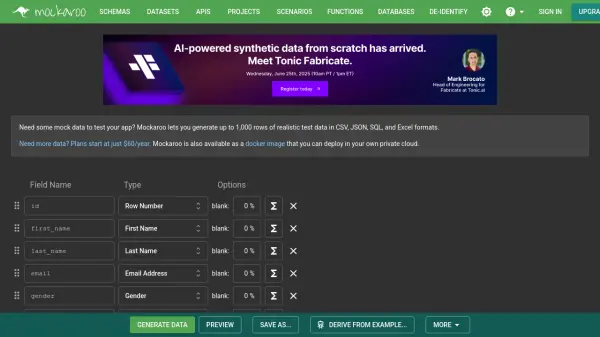
Dummy Database is an AI-powered data generation tool designed to create customizable dummy data for various applications. It allows users to design and download data tailored to their specific needs, making it ideal for study, testing, research, and analysis. The tool offers a selection of over 35 data types and flexible options to generate data that matches precise requirements.
Users can instantly preview generated data in real-time as they adjust parameters, and download results in CSV, XLSX, SQL, and JSON formats. The tool includes features like dataset structure view with ERD diagrams, save and load options, and an integrated PostgreSQL editor for data management. It supports creating events log tables with actions, timestamps, and relationships, enhancing its utility for complex data scenarios.
Features
- Customizable Table Generation: Generate data with 35+ data types and flexible options tailored to specific needs
- Real-time Data Preview: Instantly see previews of generated data as parameters are adjusted
- Download in Multiple Formats: Export data as CSV, XLSX, SQL, and JSON files or ZIP archives
- Dataset Structure View: View ERD diagrams and get ready-to-use SQL code for database creation
- Save & Load: Save tables, fields, and data parameters for future use
- SQL Editor: Use integrated PostgreSQL editor to manage and manipulate generated data
- Events Log Tables: Create tables with actions, timestamps, and relationships in few clicks
Use Cases
- Software testing and development with realistic dummy data
- Academic research and data analysis projects
- Database design and prototyping for study purposes
- Creating sample datasets for training and demonstrations
- Generating events logs for system monitoring and analysis
FAQs
-
What data formats can I download my generated data in?
You can download generated data in CSV, XLSX, SQL, and JSON formats, either as single files or ZIP archives. -
How many data types are available for customization?
The tool offers over 35 data types for generating customizable dummy data. -
Can I save my dataset configurations for later use?
Yes, the tool includes save and load options to preserve tables, fields, and data parameters. -
Does the tool support creating events log tables?
Yes, you can create events log tables with actions, timestamps, and relationships in a few clicks. -
What database management features are included?
It features an integrated PostgreSQL editor for managing and manipulating generated data, along with SQL code for table creation.