
What is DualSenseX?
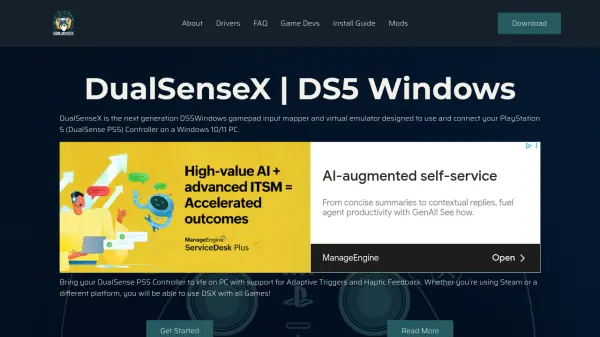
DualSenseX is a next-generation input mapper and virtual controller emulator designed for PlayStation 5 DualSense gamepads on Windows 10 and 11. The software enables users to fully utilize PS5 controller features such as adaptive triggers and haptic feedback across all PC games, regardless of the platform, including Steam and other launchers.
This advanced tool allows for extensive customization, including RGB lighting, shortcut configurations, and remapping of keyboard and mouse inputs to the controller. Users can test each controller component, monitor battery status, and apply adaptive trigger modes to enhance their gaming experience. DualSenseX further supports multiple language options, profiles for specific games, auto-start features, and background customization, making it an essential application for PC gamers seeking the most immersive PS5 controller experience.
Features
- Controller Emulation: Emulate Xbox, DualShock 4, and PS5 DualSense controllers on Windows
- Adaptive Triggers: Integrate and customize adaptive trigger functionality in games
- Haptic Audio Feedback: Support for enhanced haptic responses tied to in-game audio
- RGB Customization: Customize RGB lighting on the PS5 controller
- Keyboard/Mouse Remapping: Map keyboard and mouse inputs to controller buttons
- Shortcut Configuration: Create and manage controller shortcuts
- Controller Testing: Test buttons, joysticks, vibration, and trigger modes
- Workshop Profiles: Download and use pre-made game-specific control profiles
- Battery Monitoring: Check and display the controller’s battery status
- Auto-Connect & Startup: Automatically connect controllers and launch with Windows startup
Use Cases
- Play any PC game using a PS5 DualSense controller with advanced features
- Map keyboard or mouse inputs to PS5 controller buttons for non-controller compatible games
- Customize adaptive triggers and haptic feedback for immersive gameplay
- Personalize controller lighting and shortcuts to match gaming preferences
- Test and calibrate PS5 controller functionality on Windows PCs
- Download and apply game-specific profiles for consistent controls across titles
FAQs
-
Can I use DualSenseX with any PC game?
Yes, DualSenseX enables PlayStation 5 DualSense controllers to function with any PC game on Windows 10 or 11, regardless of the gaming platform. -
Does DualSenseX support adaptive triggers and haptic feedback?
Yes, the software offers full integration and customization for adaptive triggers and haptic audio feedback on supported games. -
Can I remap keyboard and mouse buttons to my PS5 controller?
DualSenseX allows comprehensive remapping of keyboard and mouse inputs to controller buttons, enabling compatibility with non-controller-supported games. -
Is DualSenseX compatible with Bluetooth and USB connections?
The tool supports both USB and Bluetooth connections for the DualSense controller on Windows PCs.