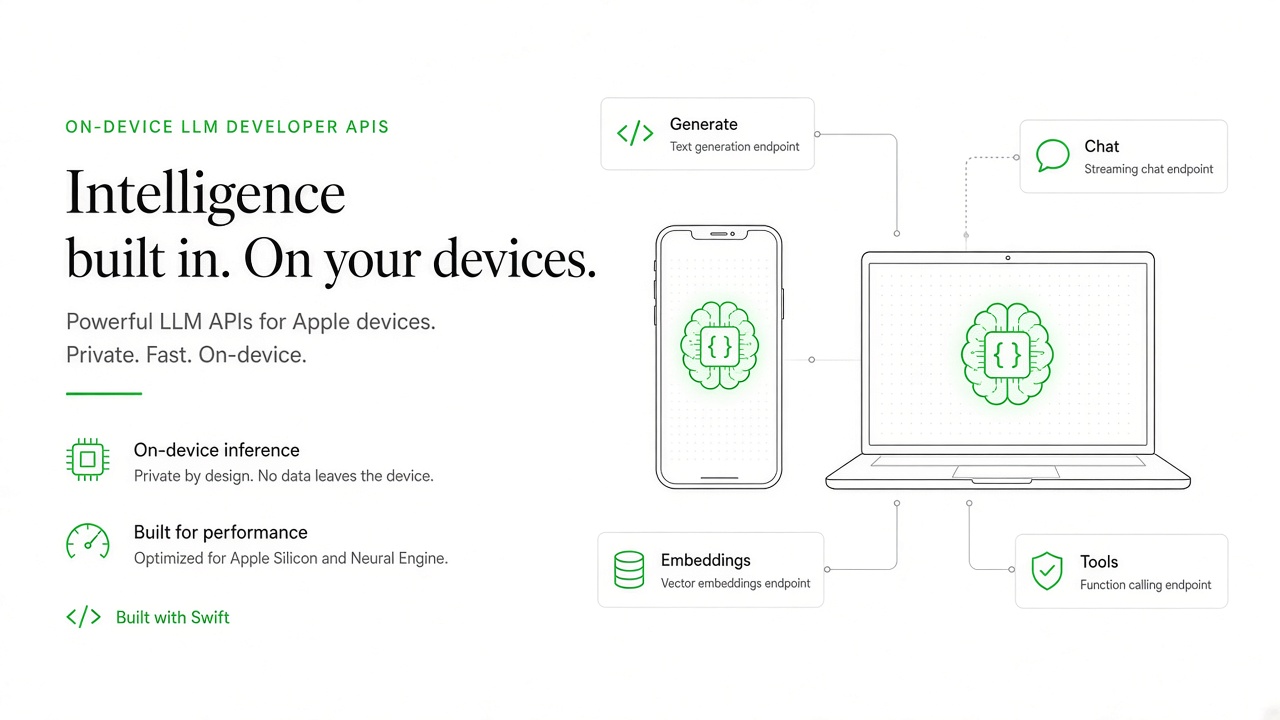
Apple expanded the Foundation Models framework at WWDC 2026 with multimodal prompts, Vision-backed tools, a rebuilt on-device model with stronger reasoning, and Private Cloud Compute access through a unified Swift API. Developers on the App Store Small Business Program with under two million lifetime downloads can route complex requests to Apple's server model at no cloud API cost, subject to daily per-user quotas. The framework also supports third-party and open-source models via the LanguageModel protocol and Core AI exports.
This guide explains Apple on device LLM API capabilities for app makers: new developer surfaces, model size and performance limits, App Store policy considerations, sample app categories, and FAQ for teams building on Apple Intelligence and AI image generator adjacent features.
New Foundation Models Developer APIs
The Foundation Models framework provides Swift APIs to prompt Apple's on-device Apple Foundation Model, optional Private Cloud Compute server models, and custom LanguageModel providers through shared LanguageModelSession objects with tools, guided generation, and streaming. WWDC 2025 introduced the framework; WWDC 2026 added image attachments, Vision tools, context management, and cross-platform expansion including watchOS server access.
Core APIs and capabilities:
- LanguageModelSession: multi-turn stateful sessions with instructions separate from user prompts
- SystemLanguageModel: on-device text generation for summarization, entity extraction, dialog, and refinement
- PrivateCloudComputeLanguageModel: server model with 32K context, reasoning levels, no API keys for eligible apps
- @Generable structured output: Swift data structures returned directly from model responses
- Tool calling: BarcodeReaderTool, OCRTool, Spotlight-powered local RAG search, and custom app tools
- LanguageModel protocol: plug in CoreAILanguageModel, MLXLanguageModel, or third-party cloud providers
- Dynamic Profiles: swap models, tools, and instructions within a continuous session at runtime
- Python SDK and fm CLI (macOS 27): same on-device and PCC access outside iOS app binaries
Developers must check SystemLanguageModel.default.availability before creating sessions because models run only on Apple Intelligence-supported devices in supported regions. The Evaluations framework helps validate AI feature behavior beyond traditional unit tests.
Model Size and Performance Limits
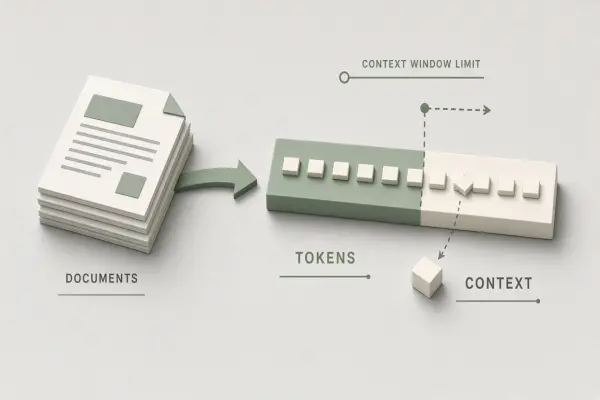
On-device models target low-latency offline tasks with roughly 4K context windows, while Private Cloud Compute offers 32K context and stronger reasoning at the cost of connectivity and daily per-user quotas. Apple does not publish parameter counts for Apple Foundation Models, but WWDC sessions emphasize on-device models for responsive UX and PCC for large-input agentic workflows.
| Model path | Context window | Connectivity | Best for |
|---|---|---|---|
| On-device SystemLanguageModel | ~4K tokens (per WWDC 2026 sessions) | Offline capable | Summaries, tagging, short dialog, image+text on device |
| Private Cloud Compute | 32K tokens | Requires connection; daily user quota | Long documents, multi-tool agents, watchOS complex tasks |
| Third-party LanguageModel | Provider-defined | Varies | Claude, Gemini, or self-hosted via unified session API |
| Core AI / MLX local | Model-dependent | On-device Neural Engine or GPU | Open-weight models exported for Foundation Models sessions |
iOS 26.4 APIs let developers inspect context size and count tokens. Refined guardrails aim to reduce false positives that blocked legitimate prompts in earlier betas. Teams should implement graceful fallbacks when availability checks fail or PCC quota limits are reached, using persistent UI rather than alert-only patterns per Apple's guidance.
App Store Policy Considerations for On-Device AI
Apps using Apple Foundation Models must disclose AI-generated content where required, respect privacy nutrition labels, and follow App Review rules on health, financial, and kids categories even when inference stays on device. Small Business Program eligibility affects PCC cost, not Review standards.
Policy checkpoints for developers:
- Privacy nutrition labels: describe on-device vs cloud inference and data retention (PCC requests are not stored per Apple)
- User consent: obtain permission before uploading user content to third-party models even if Apple PCC is private
- Regulated domains: health, legal, and financial advice features face heightened Review scrutiny regardless of model location
- Generated media: label AI-created images or text in UI when material to user trust
- Quota UX: show actionable messaging when PCC daily limits approach or trigger iCloud+ upgrade paths
- App Intents and Siri: schema adoption affects discoverability; test with App Intents Testing framework
Apple Intelligence device and region requirements mean developers should ship feature flags and availability screens for unsupported hardware, avoiding dead-end AI buttons on older iPhones.
Sample App Categories and Build Patterns
On-device APIs suit privacy-sensitive verticals where latency and offline use matter, while PCC extends the same Swift code path for heavier reasoning without bundling large weights in the app binary. Apple highlights travel itineraries, game dialog, personalized search suggestions, and visual Q&A with image attachments.
Example categories and implementation notes:
- Productivity: meeting notes summarization with on-device model; long report analysis via PCC fallback
- Education: offline flashcard generation and tutoring dialog with guardrail-aware error handling
- Retail: barcode and OCR tools for shelf reading without sending raw images to third-party servers
- Games: dynamic NPC dialog using LanguageModelSession transcripts for continuity
- Creative: multimodal prompts combining user photos with on-device refinement before optional cloud enhancement
- Enterprise: custom tools querying local databases via tool calling while keeping sensitive rows on device
Switching from on-device to PCC requires changing a single model reference in Swift per WWDC 2026 sessions, enabling progressive enhancement patterns: start on-device, escalate only when context exceeds limits or reasoning depth is needed.
Frequently Asked Questions
Which devices support Foundation Models APIs?
Apple Intelligence-supported iPhone, iPad, Mac, and Vision Pro models in supported regions. Check SystemLanguageModel.default.availability at runtime. watchOS 27 can access PCC server models for complex tasks.
Do developers pay for Private Cloud Compute inference?
Apps in the App Store Small Business Program with under two million lifetime downloads access PCC at no cloud API cost, subject to per-user daily quotas (higher with iCloud+). Larger developers should confirm current Apple program terms at release time.
Can apps use Claude or Gemini instead of Apple models?
Yes. The LanguageModel protocol supports third-party providers alongside Apple Foundation Models within the same session patterns. Privacy labels and network disclosure rules still apply to external API calls.
Can developers ship open-weight models with Core AI?
WWDC 2026 introduced CoreAILanguageModel and MLXLanguageModel conforming to LanguageModel, letting teams run exported open-source models on Neural Engine or GPU while keeping the Foundation Models session API.
Does on-device inference bypass App Review AI rules?
No. App Review evaluates feature risk based on category and user impact, not where inference runs. Health, kids, and financial apps still need appropriate disclaimers, human oversight, and compliance documentation.